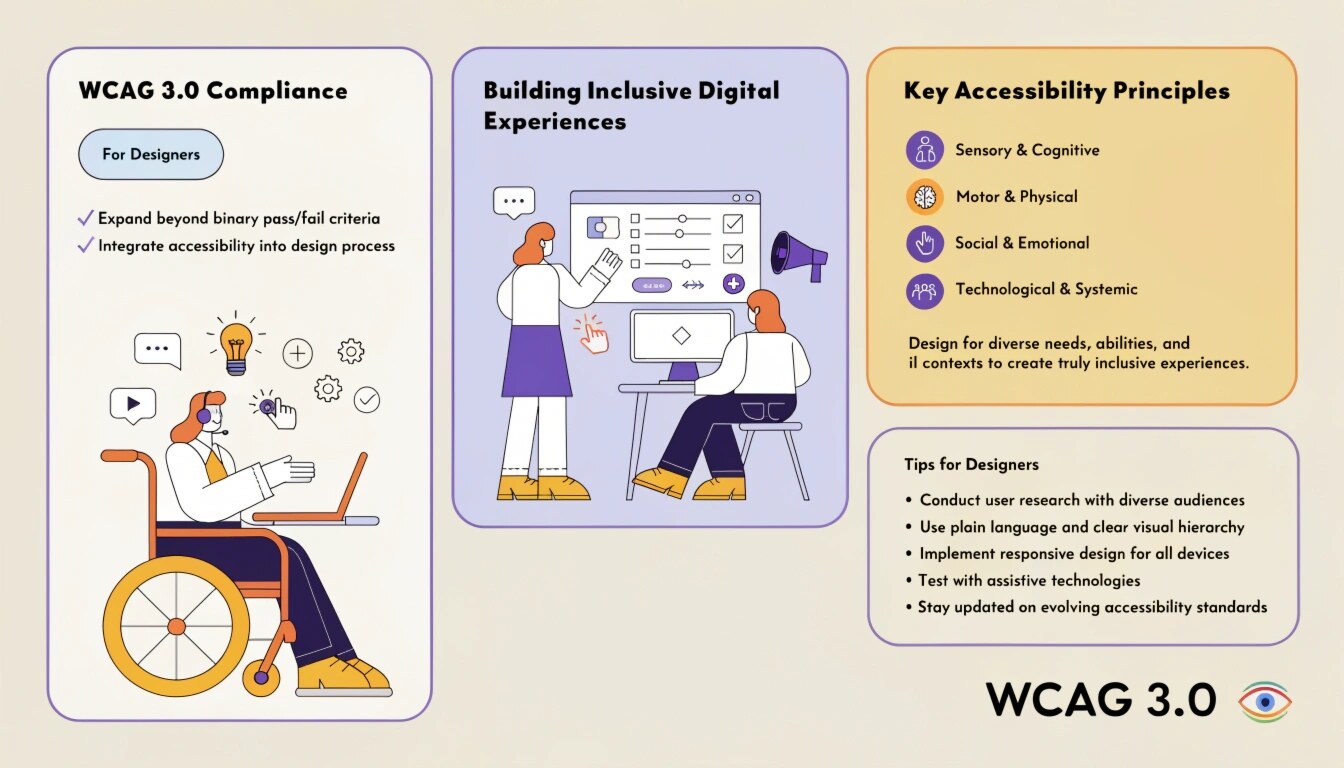
Accessibility is no longer optional in modern digital products. WCAG 3.0 introduces a more flexible and outcome-focused approach to accessibility, helping designers create experiences that work for everyone. This guide explores WCAG 3.0 principles, design considerations, practical implementation strategies, and testing techniques to ensure accessible and inclusive digital products.
Introduction
As digital experiences become an essential part of daily life, accessibility has moved from being a compliance requirement to a fundamental design principle. Millions of people worldwide rely on accessible websites, applications, and digital services to work, communicate, learn, and shop online.
The Web Content Accessibility Guidelines (WCAG) have long provided a framework for creating accessible digital experiences. With the introduction of WCAG 3.0, designers now have an opportunity to adopt a more flexible, user-focused approach that better reflects real-world user needs and modern technology.
What is WCAG 3.0?
WCAG 3.0 is the next generation of accessibility guidelines developed by the World Wide Web Consortium (W3C). Unlike previous versions that primarily relied on pass-or-fail criteria, WCAG 3.0 emphasizes measurable outcomes and user experiences.
The goal is to make accessibility easier to understand, evaluate, and implement across various digital platforms, including:
- Websites
- Mobile applications
- Web applications
- Digital documents
- Emerging technologies
- Interactive experiences
WCAG 3.0 focuses on ensuring that digital content remains accessible to users with visual, auditory, cognitive, motor, and neurological disabilities.
Why WCAG 3.0 Matters for Designers
Designers play a critical role in accessibility because many accessibility barriers originate during the design phase.
Benefits of WCAG 3.0 compliance include:
Improved User Experience
Accessible designs benefit everyone, not just users with disabilities. Clear navigation, readable content, and intuitive interfaces enhance usability for all users.
Broader Audience Reach
Organizations can serve a larger audience by ensuring their products are accessible to people with varying abilities and needs.
Better Brand Reputation
Companies that prioritize accessibility demonstrate inclusivity and social responsibility, strengthening customer trust.
Reduced Legal Risks
Many countries enforce accessibility regulations. Following WCAG guidelines helps organizations meet compliance requirements and reduce legal exposure.
Key Accessibility Principles for Designers
1. Clear Visual Hierarchy
Users should easily understand page structure and content organization.
Best practices include:
- Consistent heading structures
- Logical content grouping
- Clear navigation patterns
- Predictable layouts
A well-organized interface improves accessibility for both screen reader users and users with cognitive disabilities.
2. Color Contrast and Readability
One of the most common accessibility issues is insufficient color contrast.
Designers should:
- Ensure text remains readable against backgrounds
- Avoid relying solely on color to convey information
- Use accessible color palettes
- Test designs in different lighting conditions
Accessible contrast improves readability for users with low vision and color blindness.
3. Accessible Typography
Typography significantly impacts usability.
Recommendations include:
- Minimum readable font sizes
- Adequate line spacing
- Consistent font usage
- Avoiding overly decorative fonts
- Supporting zoom and text resizing
Readable typography improves comprehension and reduces cognitive load.
4. Keyboard Accessibility
Not all users interact with digital products using a mouse or touchscreen.
Designers should ensure:
- Logical tab order
- Visible focus indicators
- Accessible menus
- Keyboard-friendly forms
Keyboard accessibility is essential for users with motor impairments and assistive technologies.
5. Accessible Forms
Forms are often critical touchpoints in digital experiences.
Design considerations include:
- Clear labels
- Helpful instructions
- Accessible error messages
- Proper field grouping
- Sufficient spacing between elements
Accessible forms reduce user frustration and improve completion rates.
Designing for Diverse User Needs
WCAG 3.0 promotes designing for a wide range of disabilities.
Visual Accessibility
Support users who:
- Have low vision
- Are blind
- Experience color blindness
- Use screen readers
Auditory Accessibility
Provide:
- Captions for videos
- Transcripts for audio content
- Visual indicators for important alerts
Cognitive Accessibility
Improve experiences by:
- Using plain language
- Simplifying navigation
- Reducing distractions
- Maintaining consistency
Motor Accessibility
Ensure users can:
- Navigate using keyboards
- Interact with larger touch targets
- Complete tasks without precise movements
Accessibility Testing in the Design Process
Accessibility should be integrated throughout the design lifecycle rather than added at the end.
Design Reviews
Conduct accessibility checks during wireframing and prototyping stages.
Automated Testing Tools
Popular tools include:
- WAVE
- Axe
- Lighthouse
- Accessibility Insights
These tools help identify common accessibility issues early.
User Testing
Testing with people who use assistive technologies provides valuable insights that automated tools cannot detect.
Collaboration with Developers
Designers and developers should work closely together to ensure accessibility requirements are implemented correctly.
Future of Accessibility Design
As technology evolves, accessibility expectations continue to grow. Artificial intelligence, voice interfaces, augmented reality, and immersive experiences will require new accessibility solutions.
WCAG 3.0 prepares organizations for this future by focusing on user outcomes rather than strict technical checklists. Designers who embrace accessibility today will be better positioned to create products that remain inclusive and compliant as technology advances.
Conclusion
WCAG 3.0 represents a significant shift toward a more inclusive and practical approach to accessibility. For designers, it is an opportunity to create digital experiences that work for everyone, regardless of ability.
By focusing on accessible typography, color contrast, navigation, forms, and user-centered testing, designers can build products that are not only compliant but genuinely usable. Accessibility should be viewed as a core design principle rather than a final checklist item.
Organizations that invest in WCAG 3.0 compliance will improve user satisfaction, expand their audience, strengthen brand reputation, and contribute to a more inclusive digital world.
We build scalable web, mobile, and game products for clients worldwide — combining modern frameworks, cloud infrastructure, and best engineering practices.