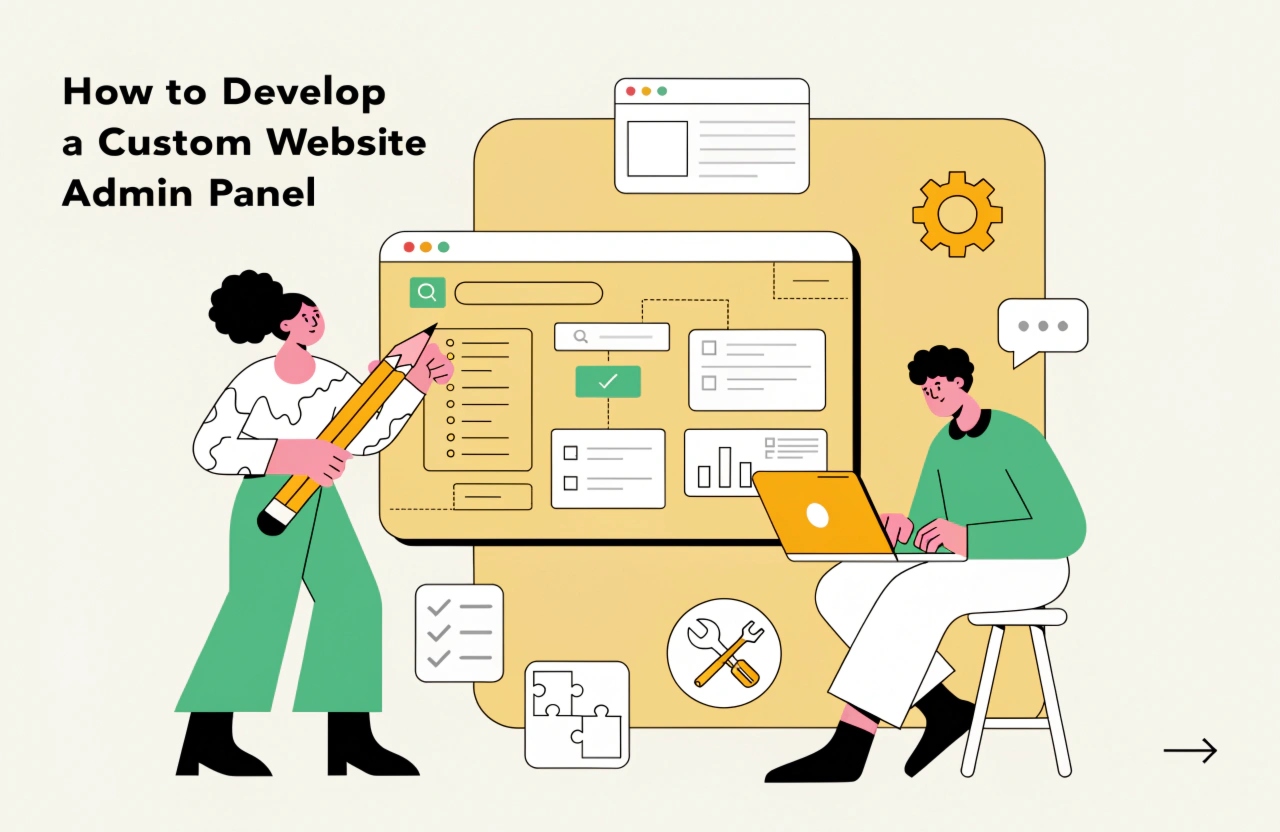
Discover how to develop a custom website admin panel with essential features, modern technologies, secure user access, database integration, and a user-friendly dashboard to simplify website management and improve business efficiency.
How to Develop a Custom Website Admin Panel: Features, Technologies, and Development Process
A website is more than just its frontend design. Behind every successful website, there is an administrative system that helps businesses manage content, users, products, orders, and other essential operations. A custom website admin panel makes these activities easier by providing a centralized dashboard where administrators can control different aspects of a website.
Unlike ready-made administration systems, a custom admin panel is developed according to specific business requirements. It offers greater flexibility, better control, and the ability to integrate features that support business operations. But how do you develop an effective custom website admin panel? Let's explore the essential steps, features, technologies, and best practices.
1. Understand Your Business Requirements
The first step in developing a custom website admin panel is understanding what your business needs.
Every business has different administrative requirements. For example, an eCommerce website may need product management, inventory tracking, and order processing, whereas an educational platform may require student management, course administration, and progress tracking.
Before starting development, identify:
- What information administrators need to manage.
- Which users will access the admin panel.
- What activities should be automated.
- Which reports and analytics are required.
- What third-party integrations are necessary.
Clearly defining these requirements helps developers create a dashboard that supports actual business operations without unnecessary complexity.
2. Plan the Essential Admin Panel Features
A successful admin panel should include features that simplify website management and improve productivity.
Some important features include:
Dashboard Overview: Displays important business information, statistics, recent activities, and performance indicators in one place.
User Management: Allows administrators to add, update, delete, and manage registered users.
Content Management: Helps administrators create, edit, publish, and remove website content, including blogs, pages, images, and other media.
Role-Based Access Control: Provides different access permissions for administrators, managers, editors, and other team members.
Reports and Analytics: Displays website traffic, user activity, sales performance, and other relevant business metrics.
Notifications: Keeps administrators informed about new registrations, important updates, pending tasks, and system activities.
Selecting the right features ensures that the admin panel remains practical and easy to use.
3. Choose the Right Technology Stack
Technology selection plays an important role in admin panel development. The right technology stack improves performance, security, scalability, and maintainability.
Here are some commonly used technologies:
- Frontend: React.js, Angular, Vue.js, HTML, CSS, and JavaScript.
- Backend: Node.js, PHP, Laravel, Python, and ASP.NET Core.
- Database: MySQL, PostgreSQL, MongoDB, and SQL Server.
- UI Frameworks: Bootstrap, Tailwind CSS, and Material UI.
- API Development: REST APIs and GraphQL.
For example, React.js combined with Node.js and MongoDB can be used to develop a dynamic and scalable administration dashboard. Similarly, Laravel and MySQL are suitable choices for businesses looking for structured backend development.
The final selection should depend on project complexity, budget, performance requirements, and future expansion plans.
4. Design a User-Friendly Admin Dashboard
An admin panel should be simple, organized, and easy to navigate. A complicated interface can reduce productivity and make everyday administrative tasks difficult.
Start by creating wireframes and dashboard layouts. Organize features into logical sections such as users, settings, reports, content, and notifications.
Important UI/UX considerations include:
- Simple and consistent navigation.
- Responsive layouts for different screen sizes.
- Clear buttons, icons, and action labels.
- Search and filtering options.
- Easy-to-understand charts and reports.
- Consistent colors, typography, and spacing.
A well-designed dashboard allows administrators to complete tasks quickly without requiring extensive technical knowledge.
5. Develop the Frontend and Backend
Once the design and technology stack are finalized, the actual development process begins.
The frontend development focuses on creating dashboard pages, forms, tables, charts, navigation menus, and interactive elements.
Backend development handles business logic, authentication, database operations, API integration, and server-side processing.
Developers should ensure that frontend and backend components communicate efficiently through properly structured APIs.
Database design is equally important. Tables and collections should be organized according to business requirements to maintain data consistency and improve query performance.
6. Implement Security and Access Control
Security is one of the most important aspects of custom admin panel development because administrative dashboards often provide access to sensitive business information.
Essential security practices include:
- Secure login and authentication.
- Strong password hashing.
- Role-based access control.
- Multi-factor authentication where appropriate.
- HTTPS and secure communication.
- Input validation and sanitization.
- Protection against SQL injection and cross-site scripting.
- Regular backups and security updates.
- Session management and automatic logout.
Administrators should only have access to the features and information required for their responsibilities. Proper access management helps prevent unauthorized activities and protects business data.
7. Test, Optimize, and Deploy the Admin Panel
Before launching the admin panel, conduct comprehensive testing to ensure everything works correctly.
Functional testing verifies that all features operate as expected. Security testing identifies potential vulnerabilities, while performance testing evaluates how the dashboard behaves under different workloads.
Also, test the admin panel across different browsers and devices to ensure consistent performance.
After successful testing, deploy the application to a reliable hosting or cloud environment. Continue monitoring performance, fixing issues, and updating features based on administrator feedback.
8. Maintain and Scale Your Admin Panel
Website administration requirements may change as a business grows. Therefore, the admin panel should be designed with future scalability in mind.
Regular maintenance includes database optimization, security updates, bug fixes, performance monitoring, and feature enhancements.
Businesses can also introduce advanced capabilities such as automated workflows, AI-powered analytics, real-time notifications, and third-party integrations.
These improvements help the administration system remain efficient as business operations become more complex.
Conclusion
Developing a custom website admin panel requires proper planning, the right technology stack, user-friendly UI/UX design, secure backend architecture, and continuous testing. A well-developed admin dashboard simplifies daily operations, improves productivity, and gives businesses better control over their websites.
Whether you are building an eCommerce platform, business website, educational portal, or web application, investing in a customized administration system can support long-term growth.
At Daydreamsoft Infotech LLP, we focus on delivering customized web development solutions designed around business requirements. With the right development approach, businesses can build secure, scalable, and efficient admin panels that make website management easier.
We build scalable web, mobile, and game products for clients worldwide — combining modern frameworks, cloud infrastructure, and best engineering practices.