Main Content
Choosing the right technology is one of the most important decisions when starting a new game development project. Unity provides powerful tools for creating both 2D and 3D games, making it one of the most flexible choices for developers and game studios.
However, Unity 2D and Unity 3D are designed around different development requirements. Understanding their differences can help businesses, developers, and startups select the technology that matches their game concept, target audience, budget, and performance requirements.
Understanding Unity 2D
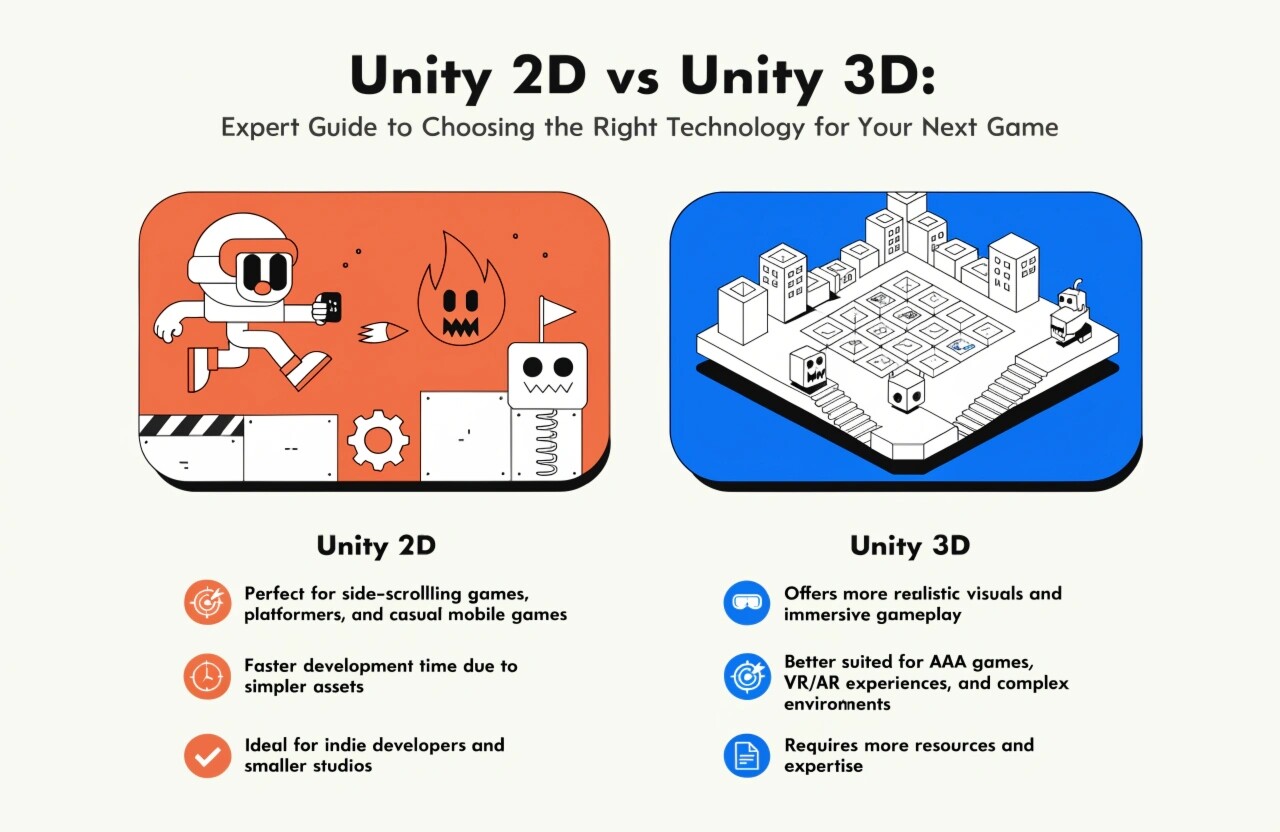
Unity 2D is designed for games that primarily use two-dimensional graphics and gameplay. It provides specialized tools for sprites, 2D physics, tilemaps, animation, particle effects, and camera systems.
Popular examples include platformers, puzzle games, arcade games, card games, strategy games, and many mobile titles.
One of the biggest advantages of 2D development is simplicity. Developers generally work with fewer visual dimensions, which can reduce development complexity and make gameplay systems easier to design and test.
Unity 2D can also be a practical option for mobile games because simpler graphics and physics requirements can help reduce hardware demands when the game is properly optimized.
Understanding Unity 3D
Unity 3D is designed for games featuring three-dimensional environments, characters, objects, lighting, and physics. Developers can create realistic worlds, immersive simulations, open environments, racing games, action games, RPGs, and first-person experiences.
3D development offers significantly more visual possibilities, but it also introduces additional complexity. Developers need to consider elements such as 3D models, textures, lighting, materials, animations, cameras, spatial audio, physics, and optimization.
For projects where immersion and realistic environments are central to the experience, Unity 3D can provide the necessary flexibility.
Unity 2D vs Unity 3D: Key Differences
The most important difference is the type of experience you want to deliver.
Graphics:
Unity 2D primarily uses sprites and flat visual assets, while Unity 3D uses models, materials, lighting, and three-dimensional environments.
Development Complexity:
2D projects can generally be simpler to develop, particularly for small teams and straightforward gameplay. 3D projects typically require more specialized skills and asset creation.
Performance:
2D games often require fewer graphical resources, although performance ultimately depends on optimization, game mechanics, effects, asset sizes, and target hardware. Well-optimized 3D games can also perform efficiently across multiple platforms.
Gameplay:
2D is suitable for games based around side-scrolling, top-down, grid-based, or fixed-perspective gameplay. 3D provides greater freedom for movement, exploration, camera positioning, and environmental interaction.
Asset Requirements:
A 2D game may rely heavily on sprites, illustrations, tilemaps, and 2D animations. A 3D game may require models, rigs, textures, materials, animations, environments, and lighting setups.
Which One Should You Choose?
Your game concept should be the primary factor in deciding between Unity 2D and Unity 3D.
Choose Unity 2D if your game focuses on:
- Platforming or side-scrolling gameplay
- Puzzle and arcade mechanics
- Card or board games
- Simple mobile experiences
- Sprite-based visual styles
- Faster and relatively lightweight development
Choose Unity 3D if your project requires:
- Realistic or stylized 3D environments
- First-person or third-person gameplay
- Racing or action experiences
- Character exploration
- Complex physics and spatial interactions
- Immersive environments
Consider Your Target Platform
The target platform should also influence your decision. Mobile devices have different performance capabilities compared with gaming PCs and consoles. If your audience uses a wide range of devices, optimization should be considered from the beginning.
Unity's cross-platform capabilities allow developers to target multiple platforms, but the development strategy should still account for differences in processing power, screen sizes, controls, graphics capabilities, and operating systems.
Development Cost and Team Skills
Project cost is another important consideration. A 3D game may require additional specialists, including 3D artists, animators, technical artists, level designers, and programmers with specialized experience.
A smaller 2D project may require fewer resources depending on its scope. However, development cost should never be determined only by whether a game is 2D or 3D. Features, multiplayer functionality, backend systems, art quality, AI, monetization, testing, and post-launch support can have a much larger impact on the final budget.
Final Thoughts
There is no universally better choice between Unity 2D and Unity 3D. The right technology depends on your game's concept, visual direction, gameplay mechanics, target platform, development budget, team expertise, and long-term goals.
For straightforward, sprite-based experiences, Unity 2D can provide an efficient development approach. For immersive environments and spatial gameplay, Unity 3D offers greater creative possibilities.
Before development begins, define your core gameplay loop, target audience, platform requirements, visual style, and scalability goals. Making this decision early can help reduce development risks and create a stronger foundation for your next successful game.