Learn how to build reusable game systems in Unity using C#. Explore modular architecture, ScriptableObjects, reusable components, and event-driven communication to reduce code duplication, simplify maintenance, and develop scalable gameplay features efficiently.
How to Create Reusable Game Systems in Unity Using C#
Introduction
Game development involves building multiple systems that work together to create a smooth and engaging player experience. These systems may include player movement, health management, inventory, enemy behaviour, combat mechanics, scoring, and user interfaces. In Unity, developers can implement these features using C#, but writing separate scripts for every object can quickly make a project difficult to manage.
Reusable game systems provide a more efficient approach. Instead of repeatedly writing similar code, developers create flexible components and shared systems that can be used across different scenes, characters, and projects. This approach reduces duplication, improves code quality, and makes future updates easier.
In this guide, we explore how to create reusable game systems in Unity using C#, along with practical examples and development best practices.
1. Understand Modular Game Architecture
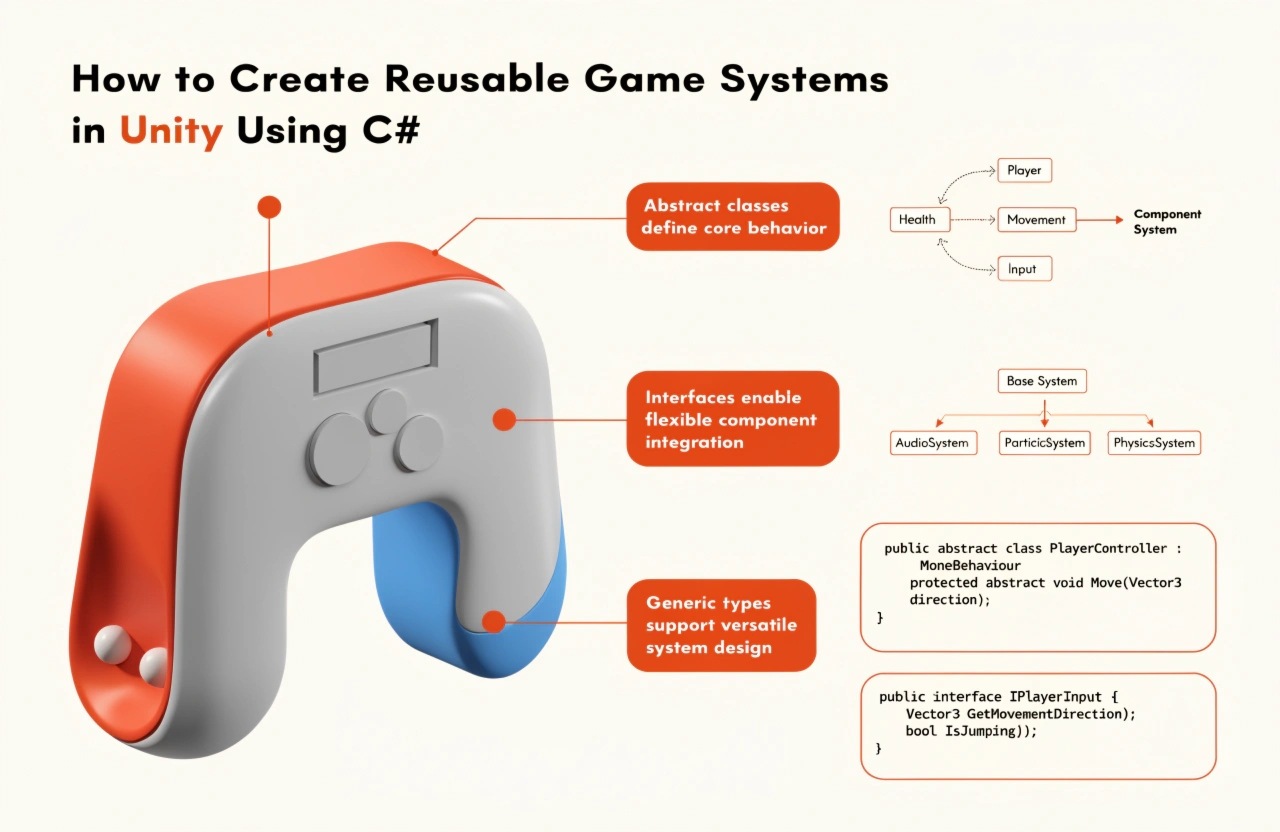
Modular architecture divides a game into smaller, independent systems, each responsible for a specific function. For example, a character can use separate components for movement, health, animation, and combat rather than managing everything through one large script.
A modular structure offers several advantages:
- Code reusability: Components can be attached to different game objects.
- Easy maintenance: Changes to one feature are less likely to affect unrelated systems.
- Improved testing: Individual components can be tested independently.
- Better scalability: New features can be added without rewriting the entire game.
For example, a health system should manage health values and damage, while a movement system should handle player movement. Keeping these responsibilities separate makes both systems easier to reuse.
2. Create Reusable Components Using C#
Unity uses a component-based architecture. Game objects can combine different components to achieve specific behaviours. Developers can extend this approach by creating custom C# scripts with clearly defined responsibilities.
Consider a reusable health component that works for both players and enemies.
using UnityEngine;
public class HealthSystem : MonoBehaviour
{
[SerializeField] private float maxHealth = 100f;
public float CurrentHealth { get; private set; }
private void Awake()
{
CurrentHealth = maxHealth;
}
public void TakeDamage(float damage)
{
if (damage <= 0f || CurrentHealth <= 0f)
return;
CurrentHealth = Mathf.Max(0f, CurrentHealth - damage);
if (CurrentHealth <= 0f)
{
Die();
}
}
private void Die()
{
Debug.Log($"{gameObject.name} has been defeated.");
}
}
Attach this component to a player, enemy, or destructible object. Other scripts can call TakeDamage() without needing to know how health is stored or updated.
This separation allows developers to reuse the same health logic across different game objects. Later, the death behaviour can be extended to trigger animations, update scores, or disable objects.
3. Use ScriptableObjects for Shared Game Data
ScriptableObjects are Unity assets that store data independently of individual game objects. They are useful when multiple objects need to share configuration values without duplicating them in every prefab.
For example, a weapon definition can store damage, attack speed, and weapon name.
using UnityEngine;
[CreateAssetMenu(
fileName = "WeaponData",
menuName = "Game/Weapon Data"
)]
public class WeaponData : ScriptableObject
{
public string weaponName;
public float damage = 10f;
public float attackSpeed = 1f;
}
Create weapon data assets through Unity's Assets menu, then assign them to different weapon components.
This approach allows developers to create multiple weapon types using the same underlying logic. A sword, laser gun, and magic wand can share a common implementation while using different data assets.
ScriptableObjects are especially useful for weapon statistics, enemy configurations, item definitions, character attributes, and level settings.
Remember that shared ScriptableObject assets should generally hold configuration data. If multiple characters need independent runtime health or inventory values, store that changing state separately to avoid unintended shared modifications.
4. Build Flexible Systems Through Composition
Composition means combining small components instead of creating a complicated inheritance hierarchy.
For example, an enemy might contain:
- HealthSystem for health and damage.
- EnemyMovement for movement.
- AttackController for attacking.
- LootDropper for rewards.
A different enemy can reuse the health and loot components while using different movement and attack behaviours.
This structure is often easier to extend than creating many subclasses such as FlyingEnemy, ArmouredFlyingEnemy, and FastFlyingEnemy, each containing duplicated logic.
Use inheritance when objects genuinely share a common type or contract, but prefer composition when combining independent gameplay capabilities.
5. Connect Systems Using Events
Reusable systems should communicate without becoming tightly dependent on one another. Events help different components respond to gameplay changes without requiring direct references between every script.
For example, a health component can publish an event when its health changes.
using System;
using UnityEngine;
public class HealthEvents : MonoBehaviour
{
public event Action<float> HealthChanged;
[SerializeField] private float maxHealth = 100f;
public float CurrentHealth { get; private set; }
private void Awake()
{
CurrentHealth = maxHealth;
}
public void TakeDamage(float damage)
{
if (damage <= 0f || CurrentHealth <= 0f)
return;
CurrentHealth = Mathf.Max(
0f,
CurrentHealth - damage
);
HealthChanged?.Invoke(CurrentHealth);
}
}
A health bar, sound controller, or gameplay notification can subscribe to the event and respond when health changes. Each listener handles its own responsibility without requiring the health component to manage the user interface or audio.
Remember to unsubscribe from events when appropriate, particularly when subscribers are destroyed or disabled. This helps prevent stale references and unexpected callbacks.
For larger projects, ScriptableObject event channels or a carefully designed event system can provide additional flexibility.
6. Make Reusable Systems Easy to Test
Reusable code becomes more valuable when developers can verify it reliably. Test individual systems independently before integrating them into a complete game.
For example, test whether the health system:
- Initializes with the correct health value.
- Rejects negative damage.
- Prevents health from dropping below zero.
- Handles repeated damage after defeat correctly.
- Notifies subscribers when health changes.
Unity Test Framework supports Edit Mode and Play Mode tests. Edit Mode tests are suitable for logic that does not require a running scene, while Play Mode tests can verify behaviour involving game objects and Unity runtime systems.
Automated tests help developers identify regressions when reusable components are updated.
7. Follow Best Practices for Scalable Unity Development
When building reusable systems, focus on clarity and flexibility rather than creating unnecessary abstractions.
Keep scripts focused on one primary responsibility, use meaningful class and method names, and expose only the configuration that designers actually need. Use prefabs to package reusable combinations of components and ScriptableObjects to share configuration data.
Avoid excessive global managers and static variables, which can introduce hidden dependencies. Use dependency injection, explicit references, interfaces, or events when they make system relationships clearer.
Profile performance before optimizing. Reusable architecture improves maintainability, but it does not automatically guarantee better runtime performance. Object pooling, for example, can reduce repeated instantiation costs when many temporary objects are created, such as bullets or particle effects.
Finally, document important system responsibilities and test how components interact before using them throughout a large project.
Conclusion
Creating reusable game systems in Unity using C# helps developers build games that are easier to maintain, test, and expand. By applying modular architecture, component-based design, ScriptableObjects, event-driven communication, and automated testing, developers can reduce code duplication and simplify gameplay development.
Start with small, practical systems such as health management, inventory, weapons, or player movement. Once these components work independently, combine them into prefabs and reuse them throughout your project.
Whether you are developing a mobile game, a 2D platformer, or a complex 3D adventure, reusable systems provide a strong foundation for scalable and maintainable game development.
We build scalable web, mobile, and game products for clients worldwide — combining modern frameworks, cloud infrastructure, and best engineering practices.