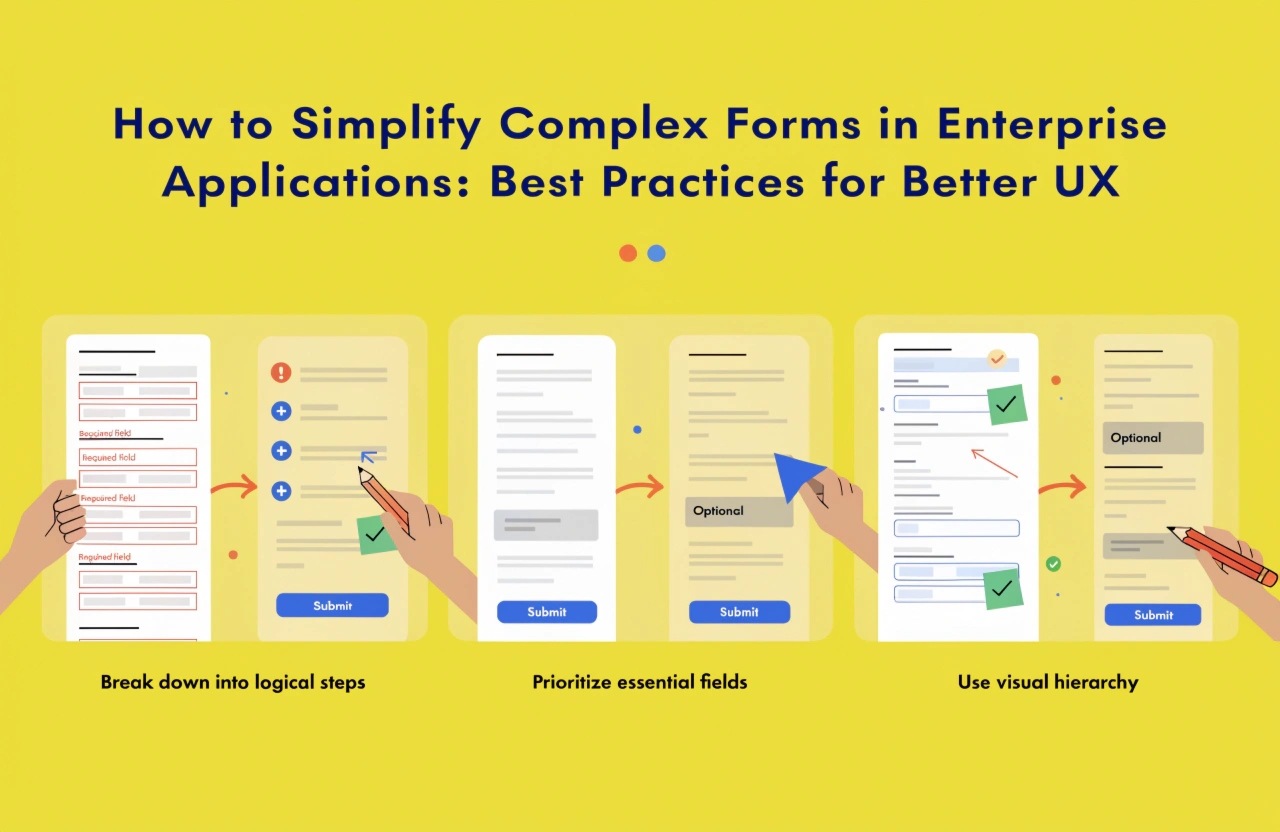
Discover practical strategies for simplifying complex forms in enterprise applications through intuitive layouts, conditional fields, smart validation, progressive disclosure, and accessibility improvements that enhance usability, accuracy, and productivity.
Introduction
Enterprise applications help organizations manage complex business operations, including employee management, customer relationships, financial reporting, inventory tracking, and project administration. These applications often require users to complete forms containing dozens of fields, multiple sections, validation rules, and business-specific information.
Although these forms collect essential data, poorly designed interfaces can frustrate users, increase completion time, and lead to inaccurate entries. Employees may struggle to understand which fields are mandatory, why particular information is required, or how to correct errors.
Simplifying complex forms is therefore an important part of enterprise user experience (UX) design. By applying practical design principles, developers can create forms that are easier to navigate, faster to complete, and more reliable for business operations.
1. Understand User Needs Before Designing Forms
The first step toward simplifying enterprise forms is understanding the people who use them. Different users have different responsibilities, technical skills, and information requirements.
For example, an HR employee completing an employee onboarding form needs different information from a finance professional processing an invoice.
Start by identifying the primary users, their objectives, and the information they need to provide. Interview employees, observe existing workflows, and analyze feedback to identify unnecessary fields, confusing instructions, and repetitive tasks.
Remove fields that do not serve a clear business or compliance purpose. Where possible, reuse existing information rather than asking users to enter the same details repeatedly.
A user-centered approach ensures that forms support real business processes instead of adding unnecessary complexity.
2. Organize Information into Logical Sections
Displaying every field on a single screen can overwhelm users, particularly when forms contain extensive business information.
Organize related fields into clearly defined sections. For example, an employee registration form might include personal information, contact details, employment information, and emergency contacts.
Use descriptive headings and maintain consistent spacing between sections. Place related fields together so users can understand how different pieces of information connect.
For longer forms, consider a step-by-step layout with a progress indicator. Users can complete one section at a time while understanding how much work remains.
However, avoid dividing short forms into too many screens. The goal is to make navigation easier, not to create additional steps unnecessarily.
3. Apply Progressive Disclosure
Progressive disclosure means showing users only the information they need at a particular stage of a workflow.
Enterprise forms frequently contain optional fields or advanced settings that are relevant only in specific situations. Displaying everything immediately increases cognitive load and makes the interface harder to scan.
For example, a purchase request form might initially ask for the supplier, product, quantity, and estimated cost. Additional fields for international shipping or customs documentation can appear only when the user selects an international supplier.
This approach keeps the interface focused while preserving access to advanced functionality.
Developers should ensure that hidden fields become visible when required and that previously entered information is handled appropriately when users change their selections.
4. Use Conditional Fields and Smart Defaults
Conditional fields adapt a form based on user input. They help eliminate irrelevant questions and make forms more efficient.
Consider a customer registration form that asks whether the customer is an individual or a business. Selecting a business could reveal company name, tax identification number, and billing details, while selecting an individual displays personal information fields.
Smart defaults can also reduce effort. Frequently selected departments, preferred languages, standard delivery options, or the user's existing profile information can be prefilled when appropriate.
Defaults should be based on reliable information and remain easy to change. Avoid assumptions that could introduce incorrect data into business records.
Together, conditional fields and sensible defaults reduce repetitive actions and improve the overall form completion experience.
5. Provide Clear Labels and Helpful Instructions
Users should immediately understand what each field requires. Unclear labels and vague instructions often lead to errors and repeated attempts.
Use descriptive labels such as “Employee Joining Date” instead of ambiguous terms such as “Date.” Provide examples where input formats might be confusing, such as “DD/MM/YYYY” for dates or an example of the expected identification number format.
Mark mandatory fields consistently and explain unusual requirements when necessary. Keep instructions short, direct, and positioned close to the relevant field.
Avoid relying exclusively on placeholder text for labels because it disappears when users begin typing. Persistent labels make forms easier to understand, especially for users who review or correct their entries.
6. Improve Validation and Error Handling
Validation helps ensure that submitted information meets business rules and technical requirements. However, poorly implemented validation can make complex forms frustrating.
Use inline validation to identify problems near the relevant fields. For example, if an email address has an invalid format, display a clear message explaining how to correct it.
Whenever practical, validate information as users interact with the form rather than waiting until final submission. For complex business rules that require server-side checks, communicate the result clearly and preserve previously entered information.
Error messages should explain what went wrong and how to fix it. Avoid generic messages such as “Invalid input” when a more specific explanation is possible.
Always validate important information on the server as well as the client. Client-side validation improves usability, while server-side validation helps protect data integrity and enforce business rules.
7. Design for Accessibility and Responsiveness
Enterprise applications are used by people with different abilities, devices, and working environments. Forms should therefore be accessible and responsive.
Ensure that fields have programmatically associated labels, keyboard navigation works correctly, focus indicators remain visible, and errors are communicated to assistive technologies.
Use sufficient color contrast and never communicate errors through color alone. Provide clear visual feedback when users move between fields or submit a form.
Responsive layouts should adapt to desktops, tablets, and mobile devices without unnecessary horizontal scrolling. On smaller screens, arrange fields vertically and make interactive controls comfortable to use.
Accessible, responsive forms help more employees complete tasks independently and consistently.
8. Automate Repetitive Data Entry
Automation can simplify forms beyond visual improvements. Enterprise applications can retrieve existing records, calculate values automatically, and populate related fields based on previously entered information.
For instance, an expense management system can calculate totals from individual expense items, while an employee portal can retrieve department details from an employee record.
Integrations with approved internal systems can also reduce duplicate data entry. However, applications must respect access permissions, verify retrieved information, and provide ways to correct inaccurate values.
Automation should reduce unnecessary work without removing meaningful user control over important business decisions.
9. Test Forms with Real Users
Form simplification should be measured rather than based entirely on design assumptions.
Conduct usability testing with employees who regularly perform the relevant tasks. Observe where they hesitate, misunderstand instructions, make mistakes, or abandon the process.
Track useful metrics such as average completion time, submission error rate, form abandonment rate, and successful completion percentage.
A/B testing can help compare alternative layouts when sufficient users and reliable measurement methods are available. Accessibility testing and automated functional tests should complement user feedback.
Use the results to refine field order, instructions, validation behavior, and navigation. Continuous improvement ensures that forms remain useful as business requirements evolve.
Conclusion
Simplifying complex forms in enterprise applications requires more than reducing the number of visible fields. It involves understanding user needs, organizing information logically, applying progressive disclosure, improving validation, ensuring accessibility, and automating repetitive work.
By combining thoughtful UX design with reliable development practices, businesses can reduce data entry errors, improve employee productivity, and streamline important workflows.
For organizations investing in enterprise application development, user-friendly forms are a practical way to improve software adoption and deliver better digital experiences. The most effective forms make complex business processes feel simple, clear, and manageable.
We build scalable web, mobile, and game products for clients worldwide — combining modern frameworks, cloud infrastructure, and best engineering practices.