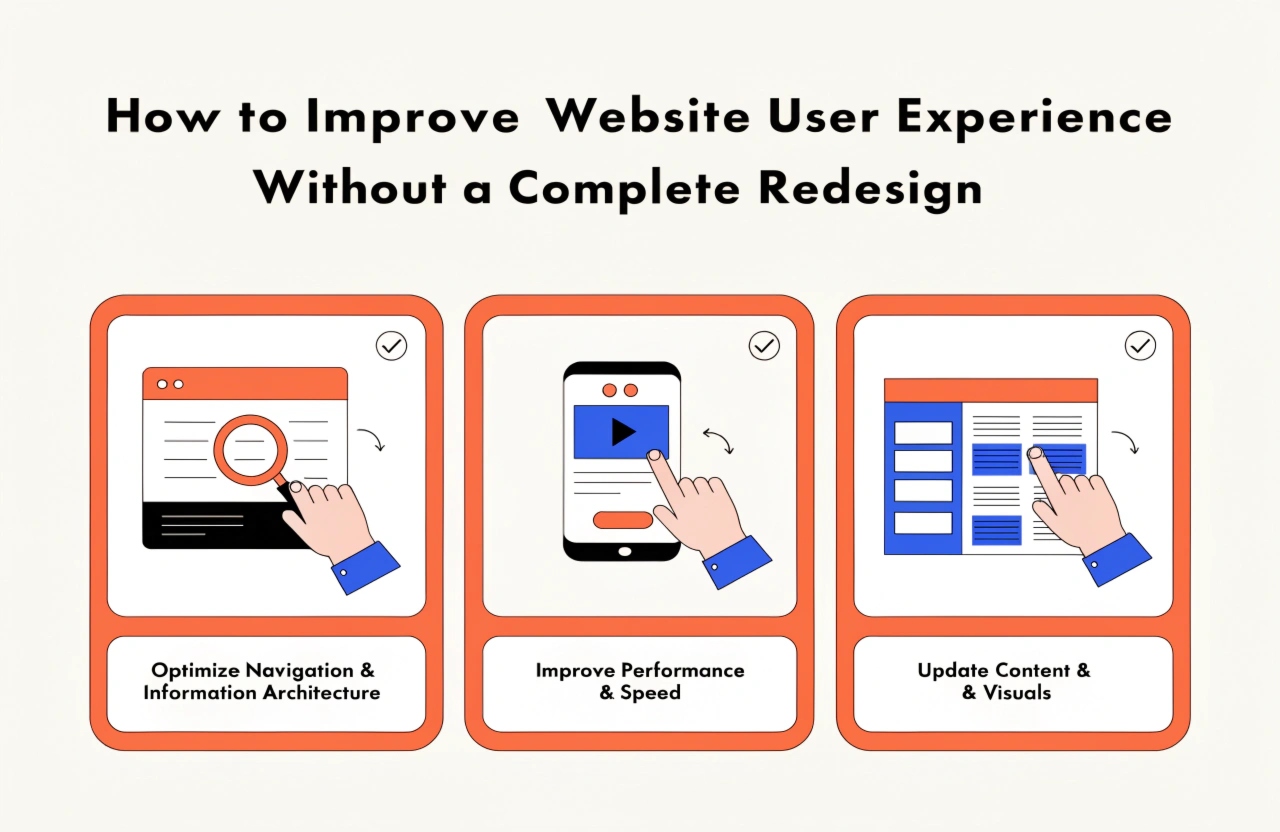
Improve your website's user experience without a complete redesign. Discover practical strategies for better navigation, faster loading, mobile responsiveness, accessibility, and higher conversions using your existing website.
Introduction
A website is often the first interaction customers have with a business. Whether visitors are exploring services, comparing products, or looking for information, their experience plays an important role in determining whether they stay on the website or leave. A poorly structured layout, slow-loading pages, confusing navigation, or complicated forms can negatively affect user satisfaction and reduce conversions.
However, improving website user experience (UX) does not always require a complete redesign. In many situations, small and strategic improvements can make an existing website significantly more user-friendly without changing its entire structure or visual identity.
By identifying usability issues, understanding visitor behaviour, and optimizing important website elements, businesses can improve performance while saving time and development costs.
Here are some practical ways to enhance your website's user experience without starting from scratch.
1. Simplify Website Navigation
Website navigation helps visitors find the information they need quickly. If users struggle to understand your menus or locate important pages, they may leave without exploring your services.
You can improve navigation by making a few simple adjustments:
- Keep the main navigation menu clear and organized.
- Use simple and understandable menu labels.
- Avoid adding too many menu items.
- Highlight important pages such as Services, About Us, and Contact Us.
- Include a visible search option when your website contains extensive information.
- Ensure that dropdown menus work properly on desktop and mobile devices.
A well-organized navigation structure helps visitors move through your website naturally and find relevant information without unnecessary effort.
2. Improve Website Loading Speed
Website speed is one of the most important factors affecting user experience. Visitors generally expect pages to load quickly, and unnecessary delays can increase frustration and encourage them to leave.
You do not need to rebuild your website to improve its loading performance.
Consider these optimization techniques:
- Compress large images without compromising visual quality.
- Convert images into modern formats such as WebP or AVIF.
- Minify CSS, JavaScript, and HTML files.
- Enable browser caching.
- Reduce unnecessary plugins and third-party scripts.
- Use a reliable hosting environment.
- Implement lazy loading for images and videos.
You can evaluate website performance using tools such as Google PageSpeed Insights and Lighthouse. These tools help identify technical issues and suggest improvements.
3. Make Your Website Mobile-Friendly
A significant portion of website traffic comes from mobile devices. Therefore, providing a smooth mobile experience is essential for businesses that want to reach and retain more visitors.
Even if your existing website is responsive, certain elements may not work perfectly on smaller screens.
Focus on improving:
- Font sizes and text readability.
- Button sizes and spacing.
- Mobile navigation menus.
- Image dimensions and alignment.
- Form layouts and input fields.
- Content spacing and page structure.
Test your website on different screen sizes and devices to identify usability problems. Make sure visitors can read content, click buttons, navigate menus, and complete actions without zooming or excessive scrolling.
4. Improve Content Readability
Good website content should be easy to understand, scan, and navigate. Large paragraphs, complicated language, and excessive technical terminology can make visitors lose interest.
You can improve content readability through small content adjustments.
- Use short and meaningful paragraphs.
- Divide information using descriptive headings.
- Highlight important information with appropriate formatting.
- Use bullet points for lists and key features.
- Choose readable fonts and appropriate font sizes.
- Maintain sufficient contrast between text and background.
- Avoid unnecessary content that does not provide value.
Organized content allows visitors to understand your services and business offerings more efficiently.
5. Optimize Call-to-Action (CTA) Buttons
Call-to-action buttons guide visitors toward important actions, such as requesting a quotation, contacting your team, purchasing a product, or registering for a service.
If your CTAs are difficult to locate or their purpose is unclear, visitors may not complete the intended action.
To improve CTA effectiveness:
- Use clear action-oriented text such as "Get a Quote," "Contact Us," or "Explore Services."
- Choose contrasting colours that make buttons noticeable.
- Position important CTAs in relevant sections.
- Maintain consistent button styles throughout the website.
- Ensure buttons are easy to tap on mobile devices.
Strategically placed CTAs help visitors understand what to do next and create a smoother conversion journey.
6. Simplify Website Forms
Contact forms, registration forms, and inquiry forms are important communication channels between businesses and customers. However, forms with too many unnecessary fields can discourage visitors from submitting their information.
Review your existing forms and remove fields that are not essential.
For a basic inquiry form, consider collecting only:
- Name
- Email address
- Contact number
- Message or inquiry details
Additionally, use clear field labels, helpful validation messages, and visible submission confirmation. Ensure that forms work properly across different browsers and mobile devices.
A simple form reduces user effort and makes communication easier.
7. Improve Website Accessibility
Website accessibility ensures that people with different abilities can access and interact with your website effectively.
Improving accessibility does not require changing your complete website design. Several small adjustments can make a meaningful difference.
Consider implementing:
- Alternative text for meaningful images.
- Proper heading structures.
- Keyboard-friendly navigation.
- Sufficient colour contrast.
- Descriptive links and button labels.
- Clear form labels.
- Visible keyboard focus indicators.
You can also evaluate your website using accessibility testing tools such as WAVE and Lighthouse.
Making your website more accessible improves usability and creates a more inclusive digital experience.
8. Understand User Behaviour Through Analytics
Before making website improvements, it is important to understand how visitors interact with your existing pages.
Analytics tools help identify which pages perform well and where users experience difficulties.
Use tools such as Google Analytics 4 and Microsoft Clarity to understand:
- Which pages receive the most traffic.
- Where visitors leave your website.
- Which buttons receive interactions.
- How visitors navigate between pages.
- Whether users experience difficulties completing forms.
- How mobile and desktop visitors behave differently.
You can use these insights to prioritize improvements based on actual user behaviour rather than assumptions.
9. Test Small Changes Before Implementing Major Updates
Not every website improvement needs to be implemented across the entire website immediately. Testing smaller changes can help determine which adjustments provide the best results.
For example, you can experiment with:
- Different CTA button text.
- Alternative heading structures.
- Improved page layouts.
- Shorter contact forms.
- Different navigation arrangements.
Use A/B testing when appropriate to compare different versions of important website elements.
Monitor engagement, conversion rates, and user interactions to understand whether the changes are producing positive results.
10. Keep Website Design Consistent
Consistency helps visitors understand how your website works. When buttons, fonts, colours, and layouts change unnecessarily between pages, the browsing experience can become confusing.
You can improve visual consistency by maintaining:
- A standard colour palette.
- Consistent typography.
- Similar button styles.
- Uniform spacing and alignment.
- Reusable design components.
- Consistent heading and content structures.
Maintaining a consistent design system makes your website easier to use and simplifies future updates for developers.
Conclusion
Improving website user experience does not always mean investing in a complete redesign. By focusing on website navigation, loading speed, mobile responsiveness, content readability, accessibility, and user behaviour, businesses can make meaningful improvements using their existing website.
The key is to identify the problems that affect visitors the most and address them through practical, measurable changes.
At Daydreamsoft Infotech LLP, we understand that an effective website is not just about attractive visuals. It is about creating a smooth, accessible, and user-friendly experience that supports business goals.
Whether you need website optimization, UI/UX improvements, or web development services, making the right improvements today can help create a better digital experience for your customers tomorrow.
A better website experience does not always require a new website. Sometimes, smarter improvements make all the difference.
We build scalable web, mobile, and game products for clients worldwide — combining modern frameworks, cloud infrastructure, and best engineering practices.