Explore how GPU instancing enables developers to render thousands of identical objects efficiently. Learn its architecture, benefits, implementation techniques, best practices, and how it powers large-scale environments in modern games.
Modern games feature expansive forests, sprawling cities, dense vegetation, crowded battlefields, and highly detailed open worlds. Rendering these environments efficiently presents a significant challenge because every object traditionally requires an individual draw call from the CPU to the GPU. As scene complexity grows, the CPU often becomes the bottleneck, limiting frame rates and overall performance.
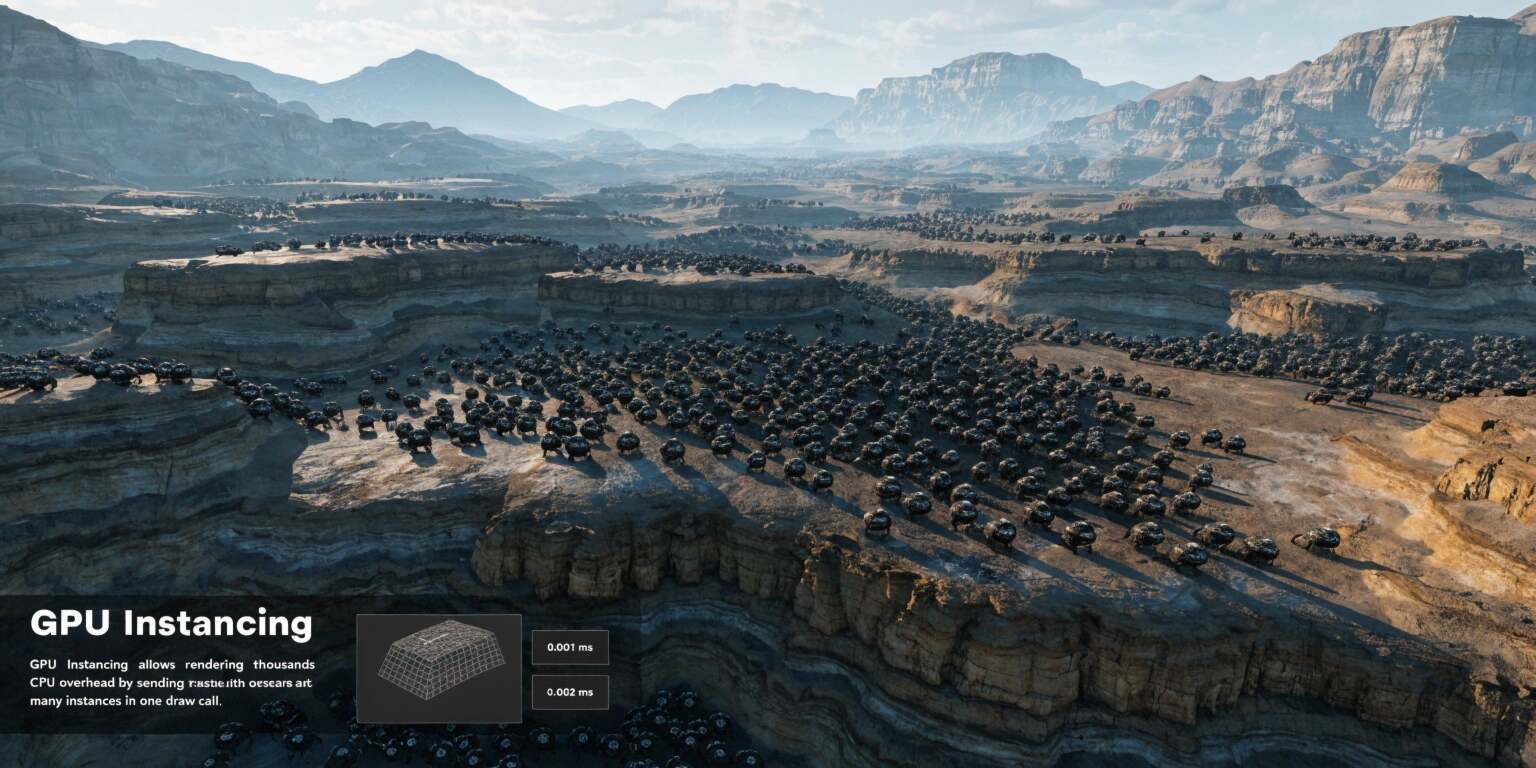
GPU instancing addresses this challenge by allowing developers to render many identical objects using a single draw call. Instead of repeatedly sending the same mesh and material data to the GPU, instancing renders multiple copies while varying properties such as position, rotation, scale, or color. This dramatically reduces CPU workload and improves rendering efficiency, making it an essential optimization technique for modern game development.
In this article, we'll explore how GPU instancing works, its benefits, implementation strategies, and why it plays a critical role in rendering massive environments.
What Is GPU Instancing?
GPU instancing is a rendering optimization technique that draws multiple instances of the same 3D mesh using one draw call.
Rather than issuing thousands of separate rendering commands, the CPU submits a single instruction while the GPU generates multiple object instances using instance-specific data.
Each instance can have unique properties, including:
- Position
- Rotation
- Scale
- Color
- Animation offsets
- Material parameters
Because the mesh geometry is shared, memory usage and CPU overhead are significantly reduced.
Why Traditional Rendering Becomes a Bottleneck
In conventional rendering pipelines:
- Every object requires its own draw call.
- Each draw call involves CPU processing.
- Thousands of repeated objects generate unnecessary overhead.
- Frame rates decrease as object counts increase.
Consider an open-world forest containing 50,000 identical trees. Without instancing, every tree would require an individual draw call, consuming substantial CPU resources even though the geometry is identical.
GPU instancing eliminates this inefficiency.
How GPU Instancing Works
The rendering process generally follows these steps:
- Load a mesh into GPU memory.
- Store shared material information.
- Generate per-instance transformation data.
- Submit one instanced draw call.
- The GPU renders every instance independently.
Instead of repeatedly uploading geometry, only lightweight transformation data changes for each instance.
Benefits of GPU Instancing
Reduced Draw Calls
The most significant advantage is minimizing CPU draw calls.
Thousands of identical objects can often be rendered using only a handful of commands.
Lower CPU Overhead
The CPU spends less time communicating with the GPU, allowing more resources for gameplay systems, physics, and AI.
Higher Frame Rates
Reducing CPU bottlenecks improves rendering performance, especially in scenes with many repeated assets.
Better GPU Utilization
Modern GPUs are highly parallel and efficiently process large batches of instanced geometry.
Memory Efficiency
Since all instances share the same mesh and material data, memory consumption remains relatively low.
Common Use Cases
GPU instancing is ideal for rendering repeated objects.
Typical examples include:
- Trees and forests
- Grass and vegetation
- Rocks
- Streetlights
- Buildings
- Crowd characters
- Fences
- Road signs
- Asteroids
- Environmental props
These assets often appear hundreds or thousands of times within a single scene.
GPU Instancing in Game Engines
Unity
Unity supports GPU instancing through compatible shaders and materials. Developers can enable instancing on supported materials, allowing identical meshes to be batched efficiently.
Unity also offers:
- Indirect instancing
- SRP Batcher compatibility
- Graphics.DrawMeshInstanced
- Graphics.DrawMeshInstancedIndirect
These APIs provide greater flexibility for advanced rendering scenarios.
Unreal Engine
Unreal Engine provides built-in support through:
- Instanced Static Mesh Components (ISM)
- Hierarchical Instanced Static Mesh Components (HISM)
HISM extends instancing by adding hierarchical culling, making it particularly effective for large outdoor environments.
Combining GPU Instancing with Other Optimizations
GPU instancing is even more effective when combined with additional rendering techniques.
Level of Detail (LOD)
Lower-polygon models replace detailed meshes as objects move farther from the camera.
Frustum Culling
Objects outside the camera's view are skipped entirely.
Occlusion Culling
Hidden objects behind other geometry are not rendered.
Mesh Shaders
Modern GPUs can combine instancing with mesh shaders for even greater rendering efficiency.
Streaming Systems
Large worlds stream assets dynamically, reducing memory usage while maintaining high performance.
Challenges and Limitations
Despite its advantages, GPU instancing has some constraints.
Identical Geometry Requirement
Only objects sharing the same mesh can be instanced efficiently.
Material Restrictions
Objects typically need to share compatible materials and shaders.
Animation Complexity
Unique skeletal animations often require specialized techniques rather than basic instancing.
Memory Bandwidth
Although geometry is shared, large amounts of instance data can still impact memory bandwidth if not optimized.
Developers should carefully evaluate whether instancing is appropriate for each asset type.
Best Practices
To maximize performance:
- Instance frequently repeated objects.
- Share materials whenever possible.
- Use efficient LOD systems.
- Combine instancing with culling techniques.
- Batch instance data efficiently.
- Minimize per-instance shader complexity.
- Profile rendering performance regularly.
- Avoid instancing objects that appear only once or twice.
These practices help achieve substantial rendering improvements without sacrificing visual quality.
Future of GPU Instancing
As graphics hardware evolves, GPU instancing continues to advance alongside technologies such as mesh shaders, GPU-driven rendering, bindless resources, and indirect rendering. Modern APIs like DirectX 12 and Vulkan provide developers with greater control over rendering pipelines, enabling increasingly sophisticated optimization strategies.
Future game engines will rely more heavily on GPU-driven workflows, allowing developers to render richer worlds with millions of objects while maintaining smooth frame rates.
Conclusion
GPU instancing is one of the most effective techniques for rendering massive environments efficiently. By reducing draw calls, minimizing CPU overhead, and leveraging the parallel processing capabilities of modern GPUs, it enables developers to build visually rich worlds populated with thousands of repeated objects.
When combined with techniques such as Level of Detail, culling, streaming, and modern rendering pipelines, GPU instancing forms a cornerstone of high-performance real-time graphics. For developers creating open-world games, simulations, or large-scale 3D applications, mastering GPU instancing is essential for delivering immersive experiences without compromising performance.
We build scalable web, mobile, and game products for clients worldwide — combining modern frameworks, cloud infrastructure, and best engineering practices.
.jpg)