Modern gamers expect expansive worlds where they can travel seamlessly without interruption. Titles such as The Witcher 3, Grand Theft Auto V, Red Dead Redemption 2, and Elden Ring deliver enormous environments while maintaining smooth gameplay. One of the key technologies behind these experiences is asset streaming.
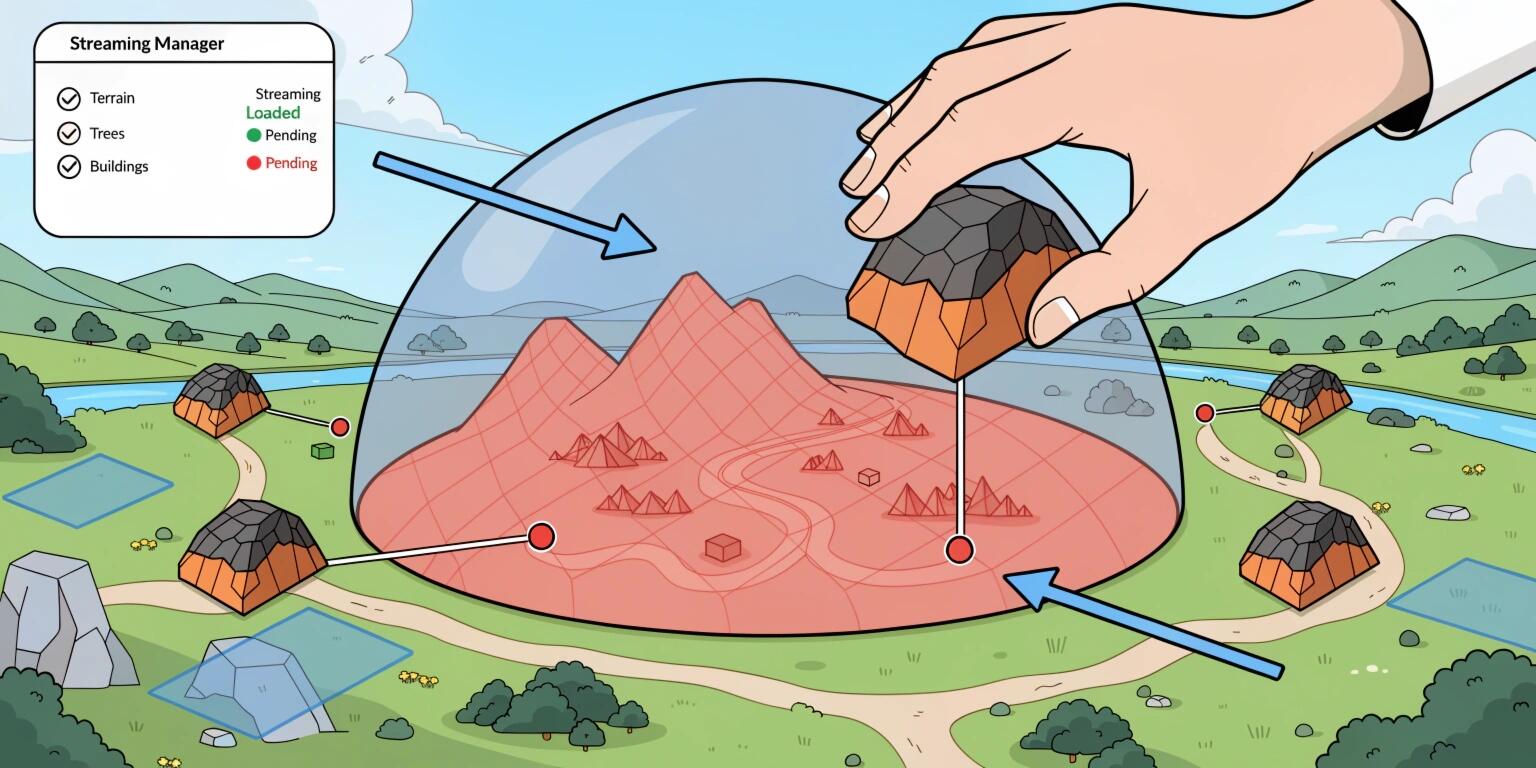
Asset streaming allows game engines to load and unload game assets dynamically as players move through the world. Instead of loading the entire game map into memory, only the assets required for the player's current location are kept active. This significantly reduces memory consumption while maintaining high-quality visuals and gameplay.
In this article, we'll explore how asset streaming works, its importance, common techniques, challenges, and best practices for developing large-scale open world games.
What is Asset Streaming?
Asset streaming is the process of loading game resources—such as textures, models, animations, audio, terrain, and effects—only when they are needed during gameplay.
Rather than loading everything during startup, the game continuously streams data from storage into memory based on the player's position and movement.
Assets commonly streamed include:
- Terrain chunks
- Buildings
- Characters
- Vehicles
- Textures
- Audio files
- Particle systems
- Vegetation
- Lighting data
- Navigation meshes
This approach enables developers to create worlds much larger than available system memory.
Why Asset Streaming Matters
Without streaming, an open world game would require enormous amounts of RAM.
Imagine an open-world city containing:
- Thousands of buildings
- Millions of textures
- Hundreds of NPCs
- Large terrain
- Environmental sounds
- Weather effects
Loading all of these simultaneously would exceed memory limitations on most gaming platforms.
Asset streaming offers several benefits:
- Minimal loading screens
- Lower memory usage
- Better frame rates
- Faster startup times
- Larger game worlds
- Improved scalability across hardware platforms
Level Streaming
Level streaming divides the game world into multiple sections or "chunks."
Each chunk is loaded only when the player approaches it.
For example:
- Forest Region
- Desert Region
- City Center
- Underground Cave
- Mountain Area
As the player leaves one region, the engine unloads unused assets and loads the next region in the background.
Both Unity and Unreal Engine support automatic level streaming systems.
Texture Streaming
Textures often consume the largest portion of GPU memory.
Texture streaming loads different texture resolutions depending on the player's distance.
Example:
Nearby building:
- 4096×4096 texture
Far building:
- 512×512 texture
This reduces GPU memory usage while maintaining visual quality where it matters most.
Modern engines also combine texture streaming with mipmapping to smoothly transition between resolutions.
Virtual Texturing
Virtual Texturing, also called Sparse Virtual Texturing, loads only visible portions of extremely large textures.
Instead of loading an entire 16K texture, only the pixels currently required are streamed into GPU memory.
Advantages include:
- Lower VRAM usage
- Higher resolution textures
- Better performance
- Reduced loading time
This technology is widely used in AAA games.
Predictive Asset Streaming
Modern engines predict where players are likely to move.
Instead of waiting until the player reaches an area, nearby assets are loaded ahead of time.
Prediction considers:
- Player direction
- Speed
- Camera orientation
- Vehicles
- Fast travel paths
Predictive streaming minimizes noticeable loading delays and prevents texture pop-in.
World Partition Systems
Instead of manually dividing maps, modern engines automatically partition the world into grid cells.
Each grid cell contains:
- Objects
- NPCs
- Terrain
- Lighting
- Audio
- Physics
Only active cells surrounding the player remain loaded.
Unreal Engine 5's World Partition system automates this process, making large-scale world management more efficient.
Level of Detail (LOD)
Streaming works best when combined with LOD systems.
Each object has multiple versions:
- High detail
- Medium detail
- Low detail
- Billboard
As distance increases, the engine switches to simpler models.
Benefits include:
- Fewer polygons
- Faster rendering
- Lower memory usage
- Improved FPS
LOD significantly reduces rendering costs in dense environments.
Occlusion Culling
Not every object visible in the game world needs to be rendered.
Occlusion culling prevents rendering objects hidden behind:
- Mountains
- Buildings
- Walls
- Trees
This reduces both rendering workload and unnecessary asset streaming.
Modern engines combine streaming with occlusion data for maximum efficiency.
Audio Streaming
Large open worlds often include thousands of audio files.
Rather than loading every sound effect into RAM:
- Ambient sounds stream when entering regions.
- Dialogue loads when NPC interactions begin.
- Music transitions based on gameplay.
- Environmental effects stream dynamically.
This minimizes memory usage while maintaining immersive soundscapes.
Memory Management
Efficient memory management is essential for successful asset streaming.
Developers monitor:
- RAM usage
- VRAM usage
- Disk bandwidth
- CPU workload
- GPU workload
Common strategies include:
- Memory pools
- Object recycling
- Garbage collection optimization
- Resource caching
- Asset prioritization
Poor memory management can result in frame drops, stuttering, or crashes.
Common Challenges
Although asset streaming offers many advantages, it introduces technical challenges:
Pop-in Effects
Objects or textures may appear suddenly if assets are not loaded quickly enough.
Disk Bottlenecks
Slow storage devices can delay asset loading.
Memory Fragmentation
Frequent loading and unloading may create inefficient memory allocation patterns.
CPU Overhead
Managing streaming tasks consumes processing resources.
Synchronization
Physics, AI, and animations must remain synchronized while assets are streamed.
Careful optimization helps mitigate these issues.
Best Practices for Asset Streaming
To maximize performance:
- Divide worlds into manageable chunks.
- Use asynchronous loading to avoid blocking gameplay.
- Compress textures and assets efficiently.
- Combine LOD with streaming.
- Implement predictive loading based on player behavior.
- Monitor memory usage continuously.
- Profile disk I/O performance.
- Test on lower-end hardware.
- Optimize asset sizes.
- Use engine-specific streaming tools.
These practices ensure smoother gameplay and a better player experience across platforms.
Future of Asset Streaming
Emerging technologies continue to advance asset streaming:
- AI-driven predictive streaming
- DirectStorage integration
- GPU decompression
- Cloud asset streaming
- Procedural content generation
- Real-time world synthesis
- Machine learning-based memory optimization
As hardware capabilities improve, developers will be able to create even larger, richer, and more immersive worlds with virtually invisible loading.
Conclusion
Asset streaming is a foundational technology for modern open world game development. By dynamically loading only the assets required at any given moment, developers can create massive, visually stunning environments while maintaining smooth performance and efficient memory usage. Techniques such as level streaming, virtual texturing, predictive loading, world partitioning, LOD systems, and occlusion culling work together to deliver seamless exploration without disruptive loading screens. As game engines and hardware continue to evolve, asset streaming will become even more intelligent, enabling developers to build increasingly immersive experiences that push the boundaries of interactive entertainment.