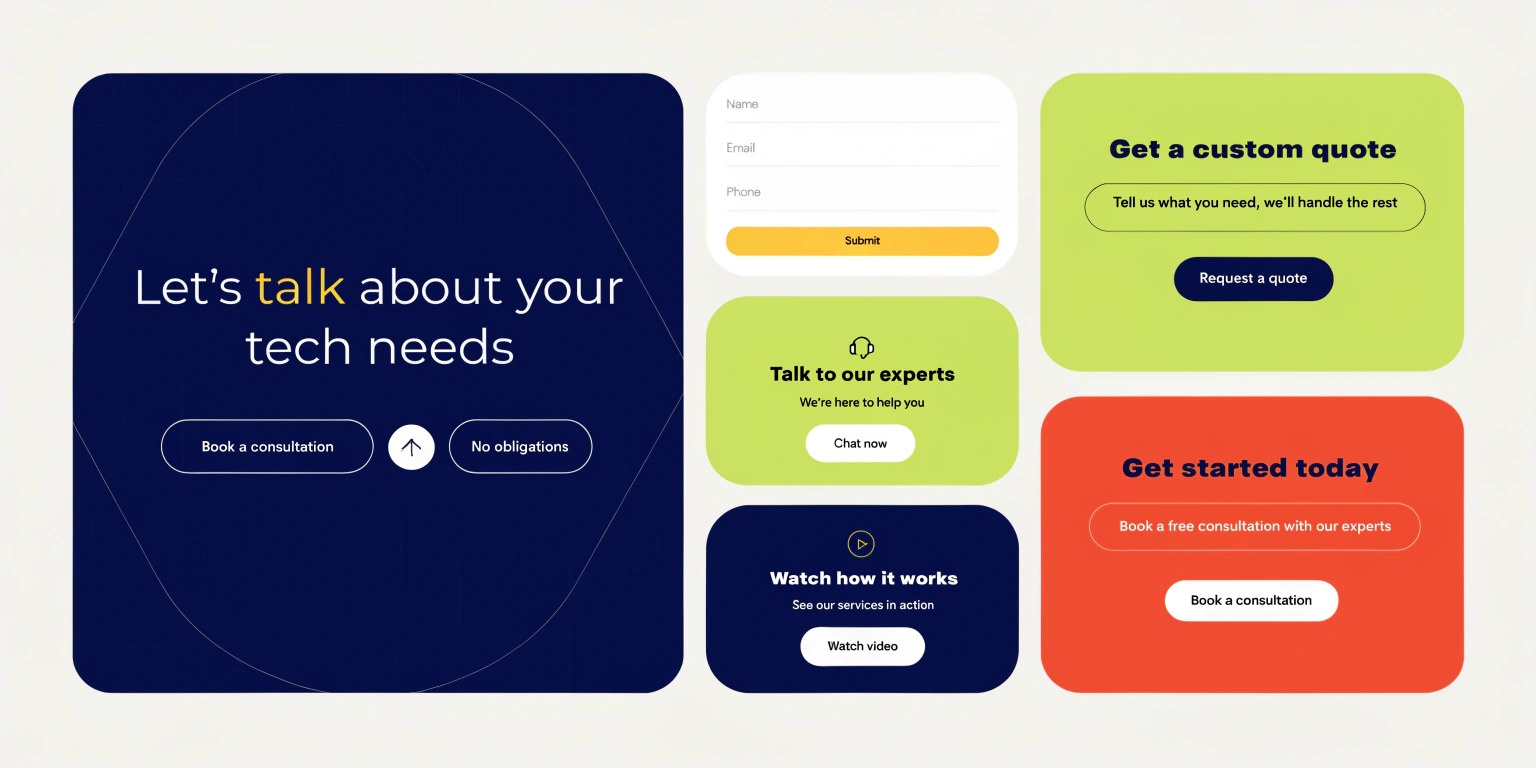
A strong CTA turns website visitors into potential clients by clearly communicating what they should do next. IT service websites can improve conversions with specific, benefit-driven CTAs tailored to services, buyer intent, project stages, and visitor needs.
An IT service website can have excellent design, impressive case studies, and technically strong content, but these elements alone do not guarantee leads.
Visitors need a clear next step.
This is where a Call-to-Action (CTA) becomes important.
A CTA is a message, button, or link that encourages visitors to take a specific action, such as requesting a consultation, discussing a project, booking a meeting, or asking for a quotation.
For IT companies, the right CTA can turn passive website visitors into qualified business opportunities.
Why CTAs Matter for IT Service Websites
IT services are usually high-consideration purchases.
A potential client may spend days or weeks researching software companies before contacting one.
A strong CTA makes the next step obvious.
Instead of leaving visitors wondering what to do after reading a service page, a CTA guides them toward an action.
For example:
"Let's Discuss Your Project"
is more conversational and specific than a generic:
"Click Here."
1. Start a Project
One of the most useful CTAs for software development companies is:
"Start Your Project"
It works particularly well on service pages because it communicates a clear intention.
Other variations include:
- Start Your Development Project
- Let's Build Your Solution
- Start Building Today
- Bring Your Idea to Life
2. Get a Free Consultation
Many potential clients are not ready to purchase immediately.
A consultation CTA reduces the commitment required to start a conversation.
Examples include:
"Book a Free Consultation"
"Talk to an IT Expert"
"Schedule Your Free Consultation"
This works especially well for IT consulting, AI development, cloud services, and digital transformation projects.
3. Request a Quote
For visitors who already understand their requirements, a quotation CTA can be highly effective.
Examples:
- Request a Quote
- Get a Project Estimate
- Get Your Custom Quote
- Request a Development Estimate
The CTA should lead to a simple form that collects only information necessary to understand the project.
4. Discuss Your Idea
Not every visitor has a detailed technical specification.
A CTA such as:
"Let's Discuss Your Idea"
can be effective for startups and entrepreneurs who have a concept but need technical guidance.
Other options:
- Have a Project Idea?
- Let's Talk About Your Idea
- Turn Your Idea Into a Product
- Discuss Your App Idea
5. Book a Meeting
For B2B IT services, scheduling a meeting can be a strong conversion goal.
Examples include:
"Book a Strategy Call"
"Schedule a Meeting"
"Talk to Our Experts"
"Book a Discovery Call"
These CTAs are particularly useful for enterprise services and consulting.
6. Get a Free Project Assessment
For technically complex projects, prospects may want to understand feasibility before committing.
A CTA such as:
"Get a Free Project Assessment"
can encourage them to provide project details.
Other options include:
- Get a Free Technical Consultation
- Assess Your Project
- Get Your Solution Reviewed
- Talk to a Technical Expert
7. Request a Demo
If an IT company offers a SaaS product, platform, dashboard, or proprietary solution, a demo CTA can be highly effective.
Examples:
"Request a Demo"
"See It in Action"
"Book a Product Demo"
A demo CTA allows potential customers to experience the product before making a purchasing decision.
8. View Our Case Studies
Not every visitor is ready to contact sales.
Some visitors want proof that the company can deliver results.
A secondary CTA such as:
"Explore Our Case Studies"
can move these visitors further through the buyer journey.
Other examples:
- See Our Work
- Explore Client Success Stories
- View Our Portfolio
- See What We've Built
9. Talk to an Expert
Technology decisions can be complicated.
A CTA offering access to an expert can create confidence.
Examples:
"Talk to a Technology Expert"
"Speak With Our Developers"
"Talk to Our Solution Architect"
This is especially effective for enterprise software, AI/ML, cloud, cybersecurity, and custom development services.
10. Get a Free Consultation for Startups
Startups often have limited budgets and need technical guidance.
A dedicated CTA can address this audience directly:
"Get Startup Technology Advice"
or:
"Discuss Your Startup Idea With Our Experts"
This creates a more personalized experience than a generic contact button.
Match CTAs With Buyer Intent
The best CTA depends on where the visitor is in the buying journey.
A first-time visitor may prefer:
"Explore Our Services"
A visitor researching solutions may prefer:
"View Our Case Studies"
A highly interested prospect may choose:
"Request a Quote"
A decision-ready visitor may choose:
"Start Your Project"
Using different CTAs throughout the website allows visitors to choose an action that matches their current level of intent.
Use Primary and Secondary CTAs
IT websites should not rely on one CTA everywhere.
A service page might have:
Primary CTA: Request a Quote
Secondary CTA: View Case Studies
This allows visitors who are ready to contact the company and visitors who need more information to continue their journey.
Keep CTA Copy Specific
Avoid vague CTA text such as:
- Click Here
- Submit
- Learn More
- Continue
Instead, clearly communicate the action.
For example:
"Get a Custom App Development Quote"
is more informative than:
"Submit."
Specificity reduces uncertainty and tells visitors what will happen after they click.
Create Service-Specific CTAs
Different IT services should have different CTA strategies.
Web Development:
"Get a Website Development Quote"
Mobile App Development:
"Discuss Your App Idea"
AI/ML:
"Explore AI Solutions for Your Business"
Game Development:
"Discuss Your Game Project"
Digital Marketing:
"Get Your Growth Strategy"
Cloud Services:
"Plan Your Cloud Migration"
Service-specific CTAs feel more relevant and can improve engagement.
Optimize CTA Placement
Important CTA locations include:
- Hero section
- Service pages
- Case studies
- Pricing sections
- Blog articles
- Contact sections
- Footer
- Exit-intent or contextual pop-ups
However, CTAs should not overwhelm visitors.
They should appear naturally where the visitor has enough information to take the next step.
Reduce Form Friction
A CTA is only as effective as the experience that follows it.
If clicking "Request a Quote" opens a form containing twenty unnecessary fields, potential leads may abandon the process.
Start with essential information such as:
- Name
- Company
- Service required
- Brief project description
Additional information can be collected later during qualification.
Test Different CTAs
There is no universal CTA that works for every IT company.
Businesses should test different:
- CTA wording
- Button placement
- Form length
- Page position
- Offers
- Supporting text
- Audience segments
Measure conversion rates and qualified leads rather than clicks alone.
A CTA that receives fewer clicks but generates better-quality leads may be more valuable.
Conclusion
The best CTAs for IT service websites are clear, relevant, specific, and aligned with the visitor's buying intent.
Instead of using generic buttons across every page, IT companies should create CTAs based on their services, target audience, and stage of the customer journey.
Whether the goal is to generate a consultation, request a quote, schedule a meeting, explore case studies, or start a project, the CTA should make the next step simple and compelling.
A well-designed CTA does more than encourage clicks—it guides visitors from interest to conversation and from conversation to business opportunity.
We build scalable web, mobile, and game products for clients worldwide — combining modern frameworks, cloud infrastructure, and best engineering practices.
.jpg)