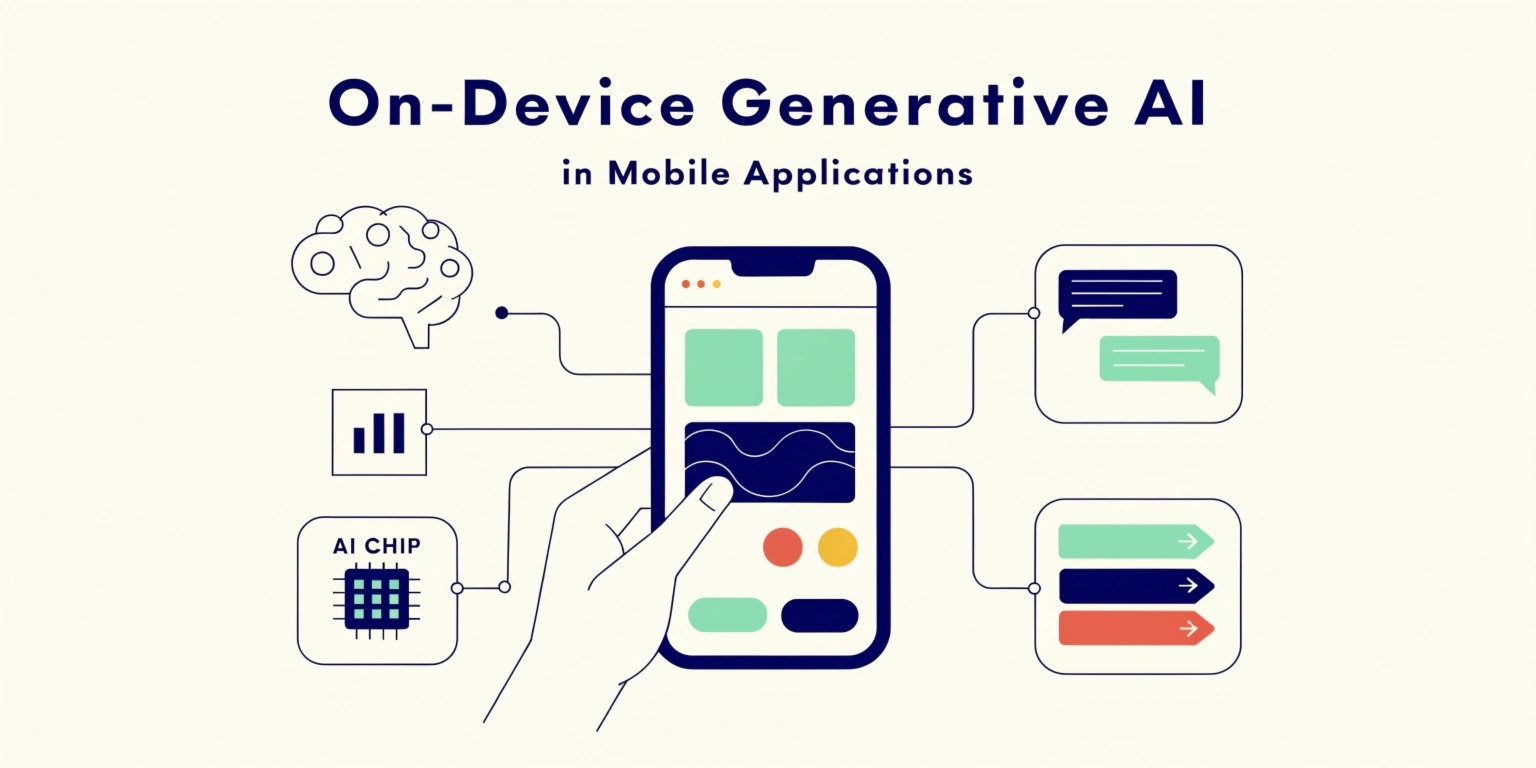
On-device generative AI brings AI inference directly to smartphones, enabling faster, more private, and sometimes offline experiences. With model compression, quantization, hardware acceleration, and efficient architectures, mobile developers can integrate powerful generative AI without relying entirely on cloud infrastructure.
Generative AI has rapidly transformed software development, productivity tools, search, content creation, and customer experiences. Traditionally, mobile applications have relied on cloud servers to process AI requests. A user sends data to a remote model, the server performs inference, and the generated result is returned to the device.
However, advances in mobile processors and AI accelerators are making another approach increasingly practical: on-device generative AI.
Instead of sending every request to the cloud, mobile applications can run optimized AI models directly on smartphones and tablets. This can provide significant benefits in terms of privacy, latency, offline functionality, and infrastructure costs.
1. What Is On-Device Generative AI?
On-device generative AI refers to running generative AI models directly on a user's device rather than relying exclusively on remote cloud servers.
These models can perform tasks such as text generation, summarization, rewriting, image processing, classification, and intelligent recommendations locally.
A typical cloud architecture looks like:
Mobile App → Internet → Cloud API → AI Model → Response → Mobile App
An on-device architecture can instead look like:
Mobile App → Local AI Model → Response
This removes the network dependency for supported AI tasks.
2. Why Mobile Developers Are Adopting Local AI
One of the biggest advantages of on-device AI is reduced latency.
Cloud-based inference requires data to travel between the device and a remote server. Network conditions, server load, and geographic distance can all affect response times.
With local inference, the model can process requests directly on the device.
This is particularly valuable for interactive experiences where users expect immediate responses.
3. Improved Privacy
Privacy is another major advantage.
When AI processing occurs locally, sensitive information does not necessarily need to leave the device.
For example, a productivity application could summarize locally stored notes without uploading the entire document to an external server.
Similarly, personal messages, private documents, or user-generated content can potentially be processed locally depending on the application's architecture and model capabilities.
This can help developers design privacy-focused AI experiences.
4. Offline AI Capabilities
Cloud AI typically requires an internet connection.
On-device models can continue working when connectivity is unavailable.
This opens opportunities for applications used in environments with unreliable connectivity, such as travel applications, field-service tools, educational applications, and productivity software.
However, offline functionality depends on the model being stored locally and having sufficient device resources to perform inference.
5. Small Language Models
Large cloud-based language models can require substantial computing resources.
Mobile applications therefore often benefit from smaller language models (SLMs) designed or optimized for efficient inference.
These models may sacrifice some general-purpose capability in exchange for lower memory requirements, faster execution, and reduced power consumption.
For mobile applications, the best model is not necessarily the largest model. It is the model that provides sufficient quality within the device's performance constraints.
6. Model Quantization and Compression
Model optimization is essential for mobile deployment.
Quantization reduces the numerical precision used to represent model parameters. For example, models can be converted from higher-precision representations to lower-bit formats.
This can reduce model size and memory usage and may improve inference performance on supported hardware.
Other optimization techniques include pruning, knowledge distillation, weight sharing, and architecture-specific optimization.
These techniques help make generative AI models more practical for mobile hardware.
7. Hardware Acceleration
Modern smartphones increasingly include specialized hardware for AI workloads.
Depending on the platform, inference can leverage CPUs, GPUs, neural processing units, or other AI accelerators.
Mobile AI frameworks such as Apple's Core ML and Android's machine-learning ecosystem provide tools for deploying optimized models.
Developers should select execution paths based on device capabilities while maintaining graceful fallbacks for older hardware.
8. Battery and Thermal Constraints
Running AI models locally consumes device resources.
Continuous inference can increase CPU/GPU/NPU usage, consume battery power, and generate heat.
Therefore, mobile AI applications should carefully control when inference occurs.
Developers can use smaller models, reduce unnecessary inference calls, process tasks in batches, and schedule computationally expensive operations appropriately.
Battery efficiency should be treated as an important design requirement rather than an afterthought.
9. Hybrid AI Architecture
On-device AI does not necessarily mean eliminating cloud AI.
A hybrid architecture can combine both approaches.
For example, simple tasks can be processed locally while complex requests are sent to a cloud model.
The application could use an on-device model for summarization, text rewriting, or quick classification and use a larger cloud model when advanced reasoning is required.
This approach allows developers to balance privacy, performance, cost, and model quality.
10. Real-World Applications
On-device generative AI can support many mobile use cases.
Examples include:
- AI writing assistants
- Offline text summarization
- Smart note-taking
- Personalized recommendations
- Intelligent keyboards
- Photo enhancement
- Voice processing
- Translation
- Document analysis
- Personal productivity assistants
- Context-aware mobile experiences
The strongest applications will use AI where it provides meaningful value rather than adding generative features simply because the technology is available.
11. Security Considerations
Running models locally introduces unique security considerations.
AI models stored on devices may potentially be extracted or reverse-engineered. Developers should avoid embedding highly sensitive credentials inside mobile applications.
Applications should also validate AI-generated output and avoid assuming that local inference is automatically trustworthy.
For sensitive operations, authorization and business rules should remain separate from model-generated decisions.
Conclusion
On-device generative AI represents an important evolution in mobile application development. By moving AI inference closer to users, developers can create experiences with lower latency, improved privacy, offline capabilities, and reduced dependence on cloud infrastructure.
However, mobile devices have limitations involving memory, processing power, battery consumption, and thermal performance. Successful implementation therefore requires careful model selection, quantization, compression, hardware acceleration, and intelligent workload management.
For many applications, the future will not be entirely cloud-based or entirely device-based. Hybrid AI architectures, where lightweight tasks run locally and complex workloads use cloud models, can provide the best balance between performance, privacy, cost, and intelligence.
As mobile hardware continues to evolve, on-device generative AI is likely to become an increasingly important capability for building smarter, faster, and more private mobile applications.
We build scalable web, mobile, and game products for clients worldwide — combining modern frameworks, cloud infrastructure, and best engineering practices.
-1.jpg)