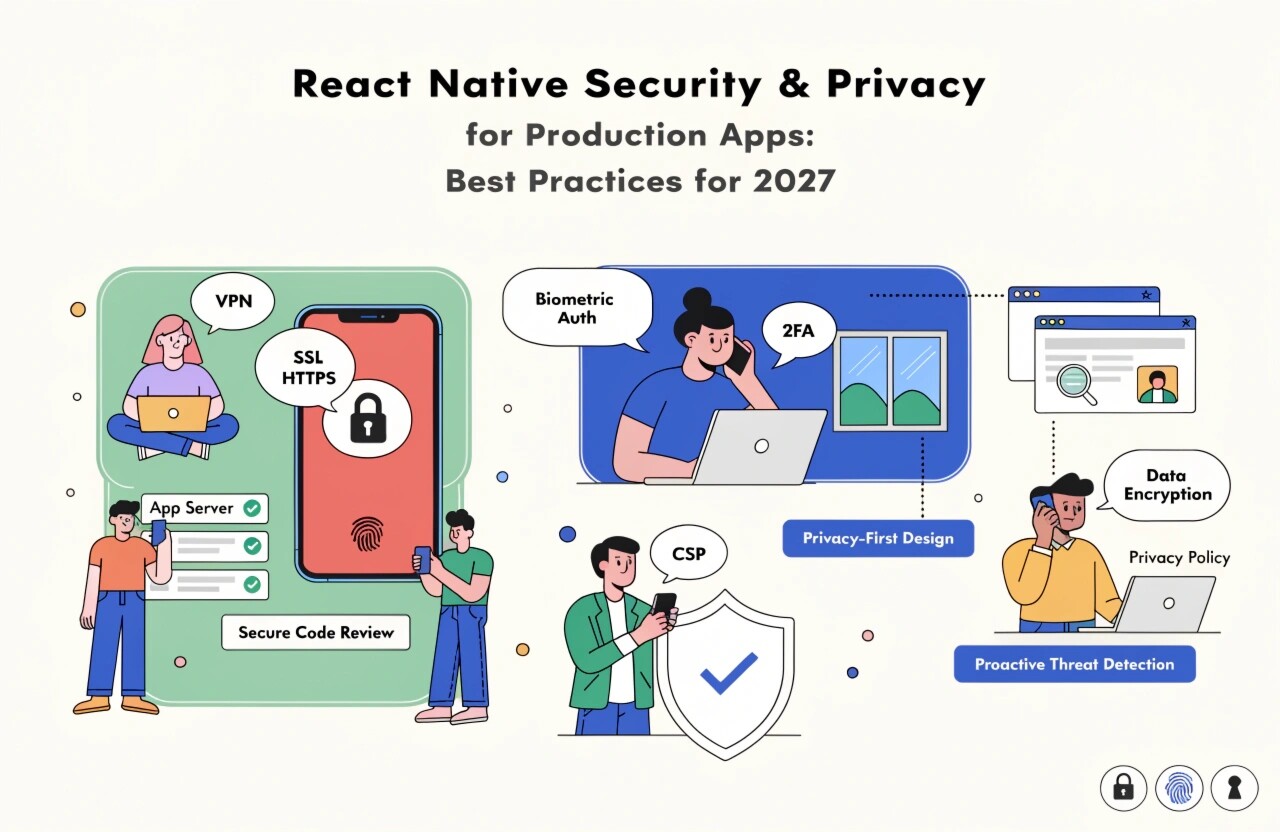
Introduction
React Native enables businesses to build powerful cross-platform mobile applications while sharing a significant portion of their codebase between Android and iOS. However, taking an application from development to production introduces serious security and privacy responsibilities.
Production apps may process personal information, authentication credentials, payment-related data, business information, location data, and private communications. A single vulnerability can expose users and damage a company's reputation.
React Native security should therefore be treated as a continuous development process rather than a final checklist. Developers need to secure the application, APIs, device storage, authentication mechanisms, dependencies, network communication, and development pipeline.
1. Protect Authentication and Authorization
Authentication is one of the most important security layers in a mobile application.
Production React Native applications should use established authentication standards rather than creating custom authentication systems. Depending on the application, OAuth 2.0, OpenID Connect, or other well-designed authentication mechanisms can be appropriate.
Access tokens should have limited lifetimes, while refresh tokens should be handled carefully. Applications should also implement proper authorization on the backend.
For example, hiding a button in the React Native interface does not prevent an unauthorized user from calling an API directly. Every sensitive operation must be validated by the server.
Recommended practices include:
- Use short-lived access tokens.
- Validate permissions on the server.
- Implement secure password policies.
- Support multi-factor authentication when appropriate.
- Avoid storing credentials in plain text.
- Invalidate sessions when necessary.
- Protect account recovery workflows.
2. Use Secure Storage for Sensitive Data
Mobile applications frequently need to store tokens, user preferences, configuration information, and other data locally.
Sensitive information should not be stored using ordinary unencrypted storage mechanisms. Instead, use platform-backed secure storage mechanisms such as Android Keystore and iOS Keychain through an appropriate React Native library or native implementation.
Avoid storing:
- Passwords
- Long-lived authentication tokens
- Private encryption keys
- Payment information
- Sensitive personal information
Developers should also review what information is cached locally and delete unnecessary data.
3. Secure API Communication
React Native applications commonly communicate with backend services through REST or GraphQL APIs. All sensitive communication should use HTTPS with modern TLS configurations.
Never send authentication credentials or confidential information through unencrypted HTTP connections.
API security should also include:
- Authentication
- Authorization
- Input validation
- Rate limiting
- Request validation
- Secure error handling
- Server-side logging and monitoring
Certificate or public-key pinning may provide an additional layer of protection for applications with high security requirements, but it should be implemented carefully because incorrect certificate management can cause production connectivity problems.
4. Never Trust Client-Side Validation
Client-side validation improves user experience, but it should never be considered a complete security control.
For example, an app might validate that a user enters a valid email address or that an amount is within a particular range. However, an attacker can bypass the mobile interface and send requests directly to the API.
Therefore, critical validation must happen on the backend.
This applies to:
- User permissions
- Transaction amounts
- Account changes
- File uploads
- Administrative operations
- Subscription changes
- Database operations
5. Protect Secrets and API Keys
Developers sometimes place API keys, tokens, passwords, or service credentials directly inside JavaScript source files. This is dangerous because application packages can be inspected and reverse-engineered.
Never treat a mobile application as a secure place to hide server-side secrets.
Instead:
- Keep private credentials on the backend.
- Use environment-specific configuration carefully.
- Restrict API keys by platform and purpose when supported.
- Rotate exposed credentials.
- Avoid committing secrets to source-control repositories.
- Scan repositories and CI/CD pipelines for accidental secrets.
Remember that anything shipped inside a mobile application should be considered potentially discoverable.
6. Secure Dependencies
React Native applications depend on numerous packages. Vulnerabilities in third-party dependencies can become security risks for the final application.
Teams should regularly review dependencies and remove packages that are no longer required.
Useful practices include:
- Keep React Native and dependencies updated.
- Monitor security advisories.
- Run dependency vulnerability scans.
- Review new packages before installation.
- Remove abandoned libraries.
- Lock dependency versions appropriately.
- Review native Android and iOS dependencies as well.
Security should cover both JavaScript packages and native dependencies.
7. Reduce Information Exposed Through Logs
Debug logs are useful during development but can accidentally expose sensitive information in production.
Never log passwords, authentication tokens, personal information, payment details, or private API responses.
Production applications should use controlled logging and appropriate monitoring systems. Error reports should contain enough information for debugging without exposing confidential user data.
Developers should also review third-party analytics and crash-reporting tools to understand exactly what information is being collected.
8. Protect User Privacy
Security protects information from unauthorized access, while privacy focuses on how personal information is collected, processed, stored, and shared.
A production React Native application should collect only the information it genuinely needs.
Before requesting permissions for camera, location, contacts, microphone, or notifications, explain why the permission is required and provide a meaningful user experience around the request.
Organizations should also consider applicable privacy requirements, such as GDPR, CCPA/CPRA, India's Digital Personal Data Protection framework, or other regional regulations depending on where the application operates.
9. Consider Code Obfuscation and Reverse Engineering
Mobile applications can be downloaded and analyzed. While obfuscation cannot make an application completely impossible to reverse-engineer, it can make analysis more difficult.
Production builds should remove unnecessary debugging information and use appropriate platform-supported release protections.
Developers should remember that obfuscation is only one layer of defense. Sensitive business logic and secrets should never depend solely on hiding application code.
10. Implement Security Testing
Security testing should happen throughout the development lifecycle.
Teams can combine:
- Static application security testing
- Dependency scanning
- Dynamic testing
- API security testing
- Penetration testing
- Code review
- Device testing
- Automated CI/CD security checks
Testing should cover both the React Native application and its backend APIs because mobile security cannot be achieved by protecting the client alone.
11. Monitor Production Applications
Security does not end when the application reaches the App Store or Google Play.
Production teams should monitor unusual authentication activity, API abuse, crashes, suspicious requests, and other indicators of potential attacks.
A strong incident-response process should also define what happens when a vulnerability is discovered. Teams need a process for investigating the issue, protecting affected users, releasing fixes, and rotating compromised credentials.
Conclusion
React Native provides an efficient way to develop cross-platform applications, but production security requires careful planning across the entire technology stack.
Secure authentication, encrypted communication, platform-backed storage, backend authorization, dependency management, privacy-conscious data collection, secure logging, testing, and continuous monitoring form the foundation of a trustworthy React Native application.
The most important principle is simple: security should be built into the development lifecycle rather than added after development is complete.
By adopting a security-first approach, development teams can reduce vulnerabilities, protect sensitive information, improve user trust, and build React Native applications that are better prepared for production environments in 2027 and beyond.