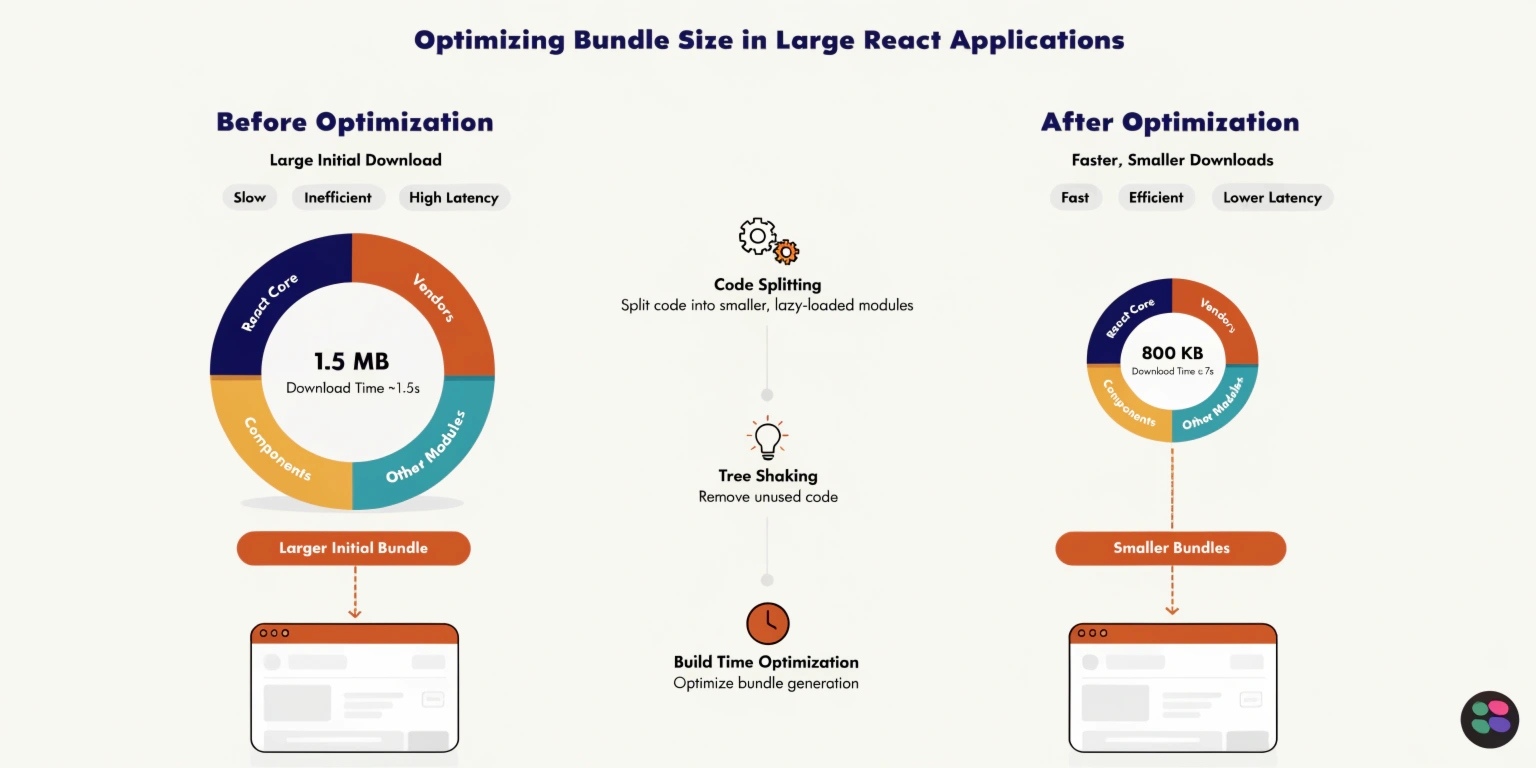
As modern web applications grow in complexity, performance becomes a critical concern. Large React applications often suffer from increased bundle sizes, leading to slower load times and poor user experience. Optimizing bundle size is essential to ensure fast, efficient, and scalable applications.
Libraries like React make it easy to build dynamic interfaces, but without proper optimization, they can also lead to heavy JavaScript bundles.
Why Bundle Size Matters
Bundle size directly impacts:
- Page load time
- Time to Interactive (TTI)
- User experience
- SEO rankings
Large bundles increase network load and delay rendering, especially on slower connections or mobile devices.
Common Causes of Large Bundles
Before optimizing, it’s important to understand what causes bundle bloat:
- Importing entire libraries instead of specific modules
- Unused code and dependencies
- Large assets and images
- Inefficient build configurations
Identifying these issues is the first step toward optimization.
Key Techniques to Optimize Bundle Size
1. Code Splitting
Code splitting divides your application into smaller chunks that load on demand.
Using dynamic imports:
const Component = React.lazy(() => import('./Component'));
Benefits:
- Reduces initial load time
- Loads only necessary code
- Improves performance
2. Lazy Loading
Lazy loading delays loading of components until they are needed.
Example:
- Load a dashboard only when the user navigates to it
This ensures that the initial bundle remains small and efficient.
3. Tree Shaking
Tree shaking removes unused code from the final bundle.
Modern bundlers like Webpack automatically eliminate dead code when configured correctly.
Best practices:
- Use ES6 modules (import/export)
- Avoid side-effect-heavy libraries
4. Optimize Dependencies
Large third-party libraries can significantly increase bundle size.
Tips:
- Replace heavy libraries with lighter alternatives
- Import only required functions (e.g., lodash methods)
- Regularly audit dependencies
5. Use Compression Techniques
Compression reduces file size before sending it to the browser.
Common methods:
- Gzip
- Brotli
These techniques significantly improve load times.
6. Minification and Optimization
Minification removes unnecessary characters from code.
Tools:
- Terser (for JavaScript)
- CSS minifiers
This reduces file size without affecting functionality.
7. Image and Asset Optimization
Images and static assets can also contribute to bundle size.
Best practices:
- Use modern formats (WebP)
- Compress images
- Load images lazily
8. Analyze Bundle Size
Use tools to identify what’s increasing your bundle size.
Popular tools:
- Webpack Bundle Analyzer
- Source Map Explorer
These tools help visualize and optimize your bundle effectively.
Advanced Optimization Strategies
1. Server-Side Rendering (SSR)
Frameworks like Next.js enable SSR, improving performance and SEO.
2. CDN Usage
Serving assets via a Content Delivery Network reduces latency and speeds up delivery.
3. Caching Strategies
Browser caching ensures users don’t download the same files repeatedly.
Common Mistakes to Avoid
- Overusing large libraries
- Ignoring performance audits
- Not updating dependencies
- Loading unnecessary components upfront
Avoiding these mistakes can significantly improve performance.
Conclusion
Optimizing bundle size in large React applications is essential for delivering fast and responsive user experiences. By implementing techniques like code splitting, lazy loading, and tree shaking, developers can significantly reduce load times and improve performance.
In today’s competitive web landscape, performance is not optional—it’s a necessity. A well-optimized application not only enhances user satisfaction but also drives better engagement and business results.

