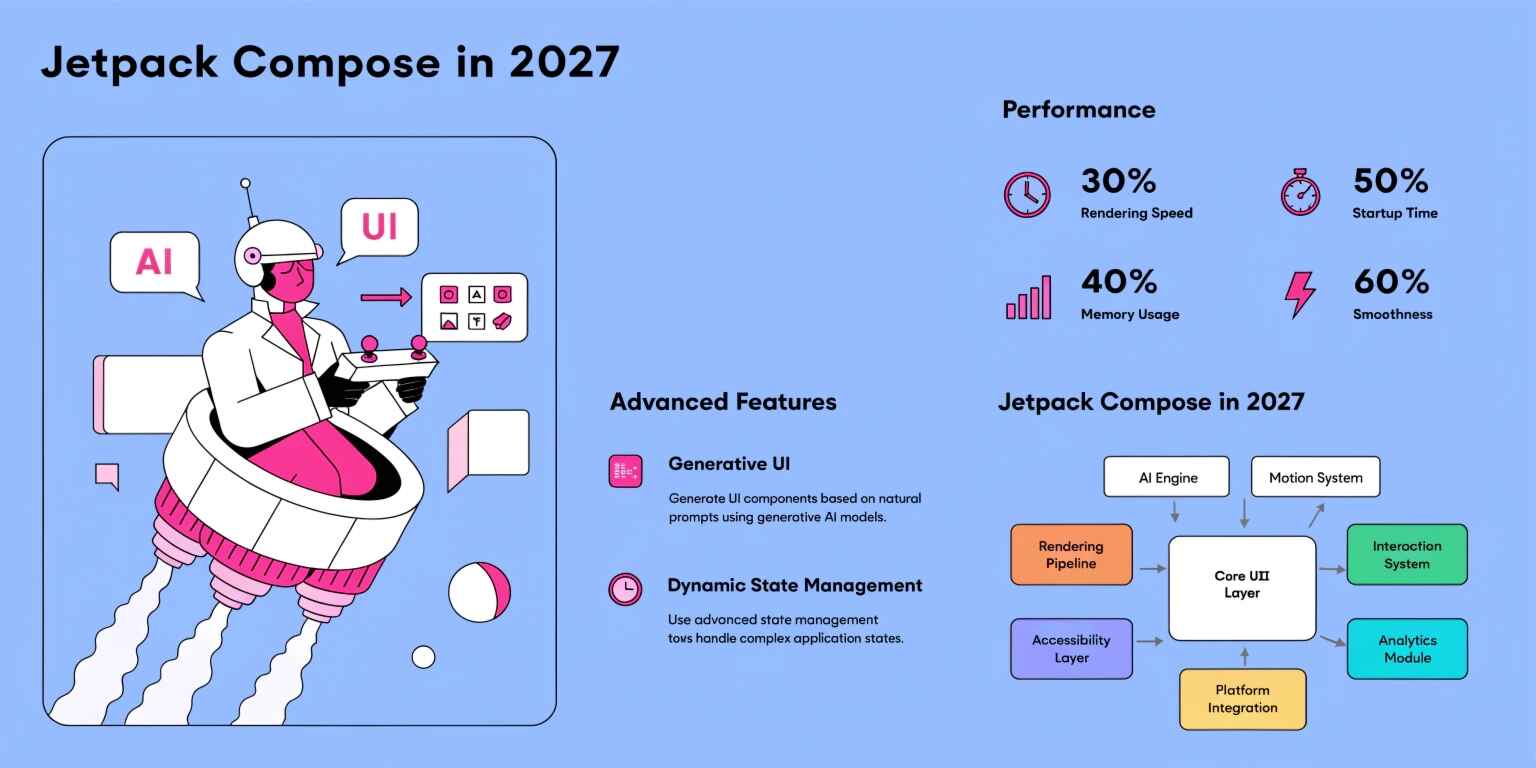
Android development has undergone a major transformation with the adoption of Jetpack Compose, Google's modern declarative UI toolkit for building native Android interfaces with Kotlin.
By 2027, Compose is expected to be an even more mature foundation for large-scale Android applications. As projects grow from simple mobile applications into complex ecosystems containing real-time data, multiple modules, animations, offline capabilities, AI features, and connected services, simply knowing how to create composable functions will not be enough.
Developers will need to understand architecture, state management, recomposition, stability, modularization, rendering efficiency, and application performance.
The future of Compose development is therefore not only about writing less UI code. It is about designing UI systems that remain maintainable and fast as applications scale.
What Makes Jetpack Compose Different?
Traditional Android UI development relies heavily on XML layouts and imperative view manipulation.
Compose follows a declarative model.
Instead of explicitly instructing the framework how to modify every UI element, developers describe what the interface should look like for a particular state.
For example:
State
↓
Composable Functions
↓
UI
When state changes, Compose determines which portions of the UI need to be updated.
This approach simplifies UI development but makes understanding state and recomposition extremely important.
Advanced Compose Architecture
Large applications require architecture that separates UI concerns from business and data logic.
A scalable Compose application can follow a structure such as:
UI Layer
↓
ViewModel / Presentation Layer
↓
Use Cases
↓
Repository
↓
Data Sources
Composable functions should ideally focus on rendering UI and handling user interaction.
Business rules should remain outside the UI layer.
For example:
Composable
↓
Event
↓
ViewModel
↓
Use Case
↓
Repository
This separation improves testability, maintainability, and long-term scalability.
Unidirectional Data Flow
One of the most important architectural patterns for Compose applications is Unidirectional Data Flow (UDF).
The basic model is:
State → UI → Event → State Update
The UI observes state and emits events.
The ViewModel or presentation layer processes those events and updates the state.
This creates a predictable flow of information.
For example:
data class LoginUiState(
val email: String = "",
val password: String = "",
val isLoading: Boolean = false,
val error: String? = null
)
The UI renders this state rather than maintaining scattered business variables across multiple composables.
State Management at Scale
Poor state management can create unnecessary recompositions and make large applications difficult to debug.
Compose applications should distinguish between different types of state.
UI State
Examples include:
- Selected tabs
- Dialog visibility
- Input values
- Loading indicators
- Expanded sections
Business State
Examples include:
- Authentication status
- Shopping cart
- Account information
- Orders
- Subscription state
Persistent State
Examples include:
- User preferences
- Cached data
- Offline information
- Application settings
Keeping these categories separate makes state ownership clearer.
State Hoisting
State hoisting moves state management to the appropriate parent or state holder.
Instead of creating internally managed state:
Component
└── Owns State
developers can use:
Parent
├── State
└── Child
├── Value
└── Event
This makes components more reusable and easier to test.
Reusable composables should generally avoid owning state unnecessarily when the state belongs to a higher architectural layer.
Recomposition and Performance
Recomposition is one of the most important concepts in Compose performance.
When observed state changes, Compose may re-execute affected composable functions.
Recomposition itself is not inherently a problem.
The challenge is unnecessary recomposition.
Poorly structured code can cause expensive UI operations to run more frequently than necessary.
For example, a composable performing complex calculations directly during rendering may repeatedly execute those calculations.
A better approach is to move expensive work outside the composable or calculate derived values efficiently.
Stable and Immutable Data
Compose performance can benefit significantly from stable data models.
Consider an application displaying thousands of products.
If Compose cannot determine whether objects have meaningfully changed, it may perform more work than necessary.
Using well-defined immutable models can make state changes more predictable.
For example:
@Immutable
data class Product(
val id: Long,
val name: String,
val price: Double
)
The objective is not to annotate everything automatically, but to design state models whose behavior is predictable.
Derived State
Applications often calculate values from existing state.
For example:
Cart Items
↓
Total Price
If the total is calculated repeatedly during every recomposition, unnecessary computation may occur.
Compose provides mechanisms such as derived state to efficiently represent values that depend on other state.
This becomes increasingly useful in complex screens containing filtering, sorting, validation, and calculated UI elements.
Lazy Layout Performance
Large lists should not be rendered as one giant static layout.
Components such as:
- LazyColumn
- LazyRow
- LazyVerticalGrid
allow Compose to efficiently handle large collections.
For production applications, developers should also pay attention to item identity.
Stable keys can help Compose understand which item corresponds to which piece of state when lists change.
items(
items = products,
key = { product -> product.id }
) {
ProductItem(it)
}
This becomes especially important when lists support insertion, deletion, sorting, or animated updates.
Avoiding Expensive Work During Composition
One of the most important performance principles is:
Do not perform unnecessary expensive operations during composition.
Potentially expensive work includes:
- Database queries
- Network requests
- Large calculations
- File operations
- Complex transformations
- Repeated object creation
These operations should generally be handled by appropriate architectural or asynchronous layers.
The composable should primarily describe UI.
Coroutines and Compose
Kotlin Coroutines are fundamental to modern Android applications.
Compose integrates with coroutine-based patterns for operations such as:
- Loading data
- Responding to lifecycle events
- Handling user actions
- Running animations
- Collecting asynchronous state
For example, a ViewModel can expose state through reactive streams while the UI observes the state lifecycle-consciously.
This creates a clean separation:
Coroutine / Data Flow
↓
ViewModel
↓
Compose UI
Navigation Architecture
Large Compose applications may contain dozens or hundreds of screens.
Navigation should therefore be treated as an architectural concern rather than scattered throughout UI components.
A scalable navigation design should consider:
- Type-safe destinations
- Deep links
- Authentication flows
- Nested navigation
- Back-stack behavior
- State restoration
Centralizing navigation decisions can make complex applications easier to maintain.
Modularization
As Android applications grow, a single module can become difficult to maintain.
Compose applications can benefit from modular architecture.
For example:
app
├── core
├── network
├── database
├── design-system
├── feature-auth
├── feature-home
├── feature-profile
└── feature-orders
Feature-based modularization improves:
- Build scalability
- Team collaboration
- Code ownership
- Dependency boundaries
- Testing
- Maintainability
A dedicated design-system module can also provide reusable UI components across the application.
Building a Compose Design System
Large applications should avoid having every developer create buttons, cards, dialogs, and typography independently.
A design system can standardize:
- Colors
- Typography
- Spacing
- Buttons
- Input fields
- Cards
- Dialogs
- Icons
- Accessibility behavior
This creates visual consistency and reduces duplicated UI code.
Performance Profiling
Performance should not be based on assumptions.
Developers should measure application behavior using appropriate Android profiling and inspection tools.
Important areas include:
- Frame rendering
- CPU usage
- Memory allocation
- Startup time
- Scroll performance
- Recomposition
- Network activity
- Battery consumption
The goal is to identify actual bottlenecks instead of optimizing code that does not materially affect performance.
Startup Performance
Application startup strongly affects perceived quality.
Compose applications should avoid performing unnecessary initialization before the first meaningful frame.
Large applications can improve startup behavior by:
- Deferring noncritical initialization
- Avoiding unnecessary object creation
- Loading data asynchronously
- Reducing startup dependencies
- Moving expensive work away from the main thread
Fast startup becomes increasingly important as mobile applications become more feature-rich.
Animations and Rendering Performance
Compose provides powerful APIs for creating animations.
However, animations can become expensive when they involve:
- Large numbers of elements
- Complex graphics
- Continuous state updates
- Heavy calculations
- Excessive recomposition
Production applications should measure animation performance on realistic devices rather than relying only on high-end development hardware.
Offline-First Compose Applications
Modern mobile applications increasingly need to function under unreliable network conditions.
An offline-first architecture can use:
Compose UI
↓
ViewModel
↓
Repository
↓
Local Database
↓
Remote API
The UI can display locally cached information immediately while synchronization occurs in the background.
This improves perceived responsiveness and resilience.
Testing Compose Applications
A scalable Compose architecture requires multiple levels of testing.
Unit Testing
Used for:
- Business logic
- ViewModels
- Use cases
- Repositories
UI Testing
Used for:
- User interactions
- Screen states
- Navigation
- Accessibility
Performance Testing
Used for:
- Startup
- Scrolling
- Rendering
- Memory usage
Good architecture makes these testing layers easier to implement independently.
Accessibility
Performance should never come at the cost of accessibility.
Compose applications should consider:
- Screen readers
- Content descriptions
- Touch target sizes
- Text scaling
- Keyboard navigation
- Color contrast
- Semantic information
Accessible architecture should be integrated into reusable components rather than added as an afterthought.
Compose and Large-Scale Applications
By 2027, Compose development is likely to increasingly focus on system-level architecture rather than simply UI implementation.
Enterprise applications may contain:
- Multiple feature modules
- Shared design systems
- Offline data
- Real-time updates
- Complex navigation
- AI-powered functionality
- Advanced animations
- Multi-device experiences
This means developers will need to understand both UI development and software architecture.
Common Performance Mistakes
Several mistakes can reduce Compose performance:
- Excessive state ownership inside composables
- Unstable data models
- Missing list keys
- Expensive calculations during composition
- Unnecessary object creation
- Poorly scoped state
- Overuse of side effects
- Rendering unnecessarily large UI trees
- Ignoring profiling data
Avoiding these problems early can prevent performance degradation as applications scale.
Best Practices for Jetpack Compose in 2027
A modern Compose project should prioritize:
- Clear state ownership
- Unidirectional data flow
- Immutable state models
- Feature-based modularization
- Reusable design systems
- Efficient lazy layouts
- Controlled recomposition
- Asynchronous data processing
- Performance profiling
- Comprehensive testing
- Accessibility
- Maintainable navigation architecture
These principles help create applications that remain efficient as features and teams grow.
The Future of Jetpack Compose
The future of Compose is likely to move toward increasingly sophisticated declarative application development.
Developers can expect continued emphasis on:
- Better performance tooling
- More powerful multiplatform capabilities
- Improved animation systems
- Advanced compiler optimizations
- Better developer tooling
- More reusable UI architectures
- AI-assisted development workflows
- Richer adaptive and multi-device interfaces
The most valuable Compose developers will therefore be those who understand not only how to create UI but also how to design scalable systems around it.
Conclusion
Jetpack Compose is evolving from a modern UI toolkit into a central part of Android application architecture.
By 2027, building high-quality Compose applications will require much more than knowing composable syntax. Developers will need strong knowledge of state management, unidirectional data flow, recomposition, stability, modularization, navigation, asynchronous programming, profiling, and scalable architecture.
Performance should be treated as an architectural concern from the beginning rather than as a final optimization step.
When Compose is combined with clean architecture, well-defined state ownership, efficient rendering strategies, modular design, and continuous performance measurement, teams can build Android applications that remain responsive and maintainable even as complexity increases.
The future of Android development is increasingly declarative, modular, and performance-conscious—and Jetpack Compose is positioned at the center of that evolution.