React Native enables developers to build cross-platform mobile applications using JavaScript or TypeScript while sharing much of their code between iOS and Android. However, applications that require advanced device capabilities, specialized hardware access, background processing, or third-party native SDKs often need more than standard React Native components.
Integrating these capabilities introduces challenges involving native APIs, platform differences, asynchronous communication, performance, and compatibility. A poorly designed integration can lead to crashes, inconsistent behavior, and difficult maintenance.
Handling complex native integrations successfully requires a clear architecture, an understanding of React Native's native communication mechanisms, and systematic testing across both platforms.
1. Understand the Integration Requirements
Before writing native code, identify exactly what the integration needs to accomplish. Common examples include biometric authentication, Bluetooth communication, location tracking, payment gateways, camera processing, push notifications, and enterprise SDKs.
Determine whether an existing React Native library already supports the required functionality. Prefer well-maintained libraries with documented platform support, active issue resolution, and compatibility with your React Native version.
If the functionality requires custom implementation, identify the native APIs involved. iOS integrations may require Swift or Objective-C, while Android integrations commonly use Kotlin or Java.
Also clarify operational requirements, including permissions, background execution, lifecycle management, minimum operating system versions, and expected performance. This assessment helps prevent architectural changes late in development.
2. Choose the Right Native Integration Architecture
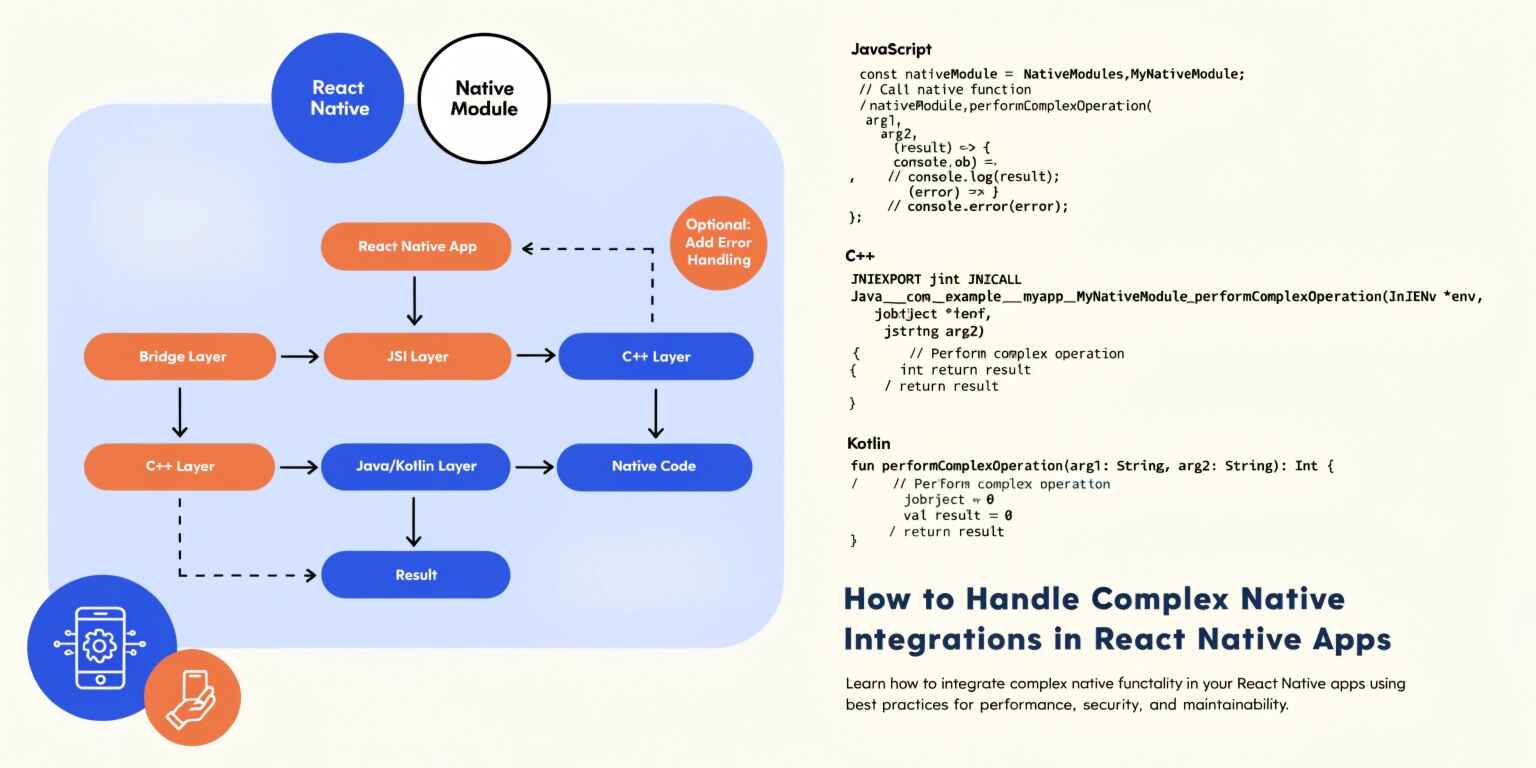
React Native provides mechanisms for connecting JavaScript application code with native platform functionality. The appropriate approach depends on the framework version, module requirements, and complexity of the integration.
Native Modules
Native modules expose platform functionality through a JavaScript-accessible interface. They are useful when an application needs capabilities that are unavailable through standard React Native APIs or existing libraries.
For example, a custom enterprise SDK may expose methods for initializing a service, authenticating a user, or retrieving device information. A native module can provide a consistent interface while keeping platform-specific implementation details separate.
TurboModules and the New Architecture
React Native's New Architecture introduces TurboModules and a more modern native interoperability model. TurboModules use a defined interface and code generation to improve integration between JavaScript and native implementations.
Where supported, this approach can provide better-defined contracts and more efficient communication than older bridge-based patterns. However, adopting it requires checking the compatibility of React Native versions, native dependencies, and existing libraries.
Avoid selecting an architecture solely because it is newer. Evaluate the integration's needs and follow the recommended approach for the React Native version used by the project.
3. Manage Platform-Specific Implementations
Although React Native supports shared code, iOS and Android do not always provide equivalent native APIs. Permissions, lifecycle behavior, background execution, and SDK configuration may differ significantly.
Use platform-specific files, such as Feature.ios.ts and Feature.android.ts, when implementation details cannot be shared cleanly. Alternatively, use React Native's Platform API for smaller differences.
Keep the public interface consistent across both platforms. For instance, a location module might expose a getCurrentLocation() method on both iOS and Android, even though each implementation uses different native APIs.
Document platform limitations explicitly. If an Android feature supports background execution differently from iOS, the JavaScript layer should handle the difference predictably rather than assuming identical behavior.
4. Design Reliable Asynchronous Communication
Native operations frequently involve asynchronous work. Examples include reading Bluetooth devices, processing biometric authentication, requesting permissions, and communicating with external SDKs.
Define clear contracts for success, failure, cancellation, and timeout scenarios. Promise-based APIs work well for one-time operations, while event-based interfaces are suitable for ongoing updates such as sensor readings or connection status.
For example, a Bluetooth integration may need to report connection changes continuously. The module should expose events and allow JavaScript consumers to unsubscribe when a screen or service is no longer active.
Prevent memory leaks by cleaning up event listeners, native callbacks, timers, and long-running resources. Also consider race conditions, repeated initialization, and operations that complete after a component has unmounted.
5. Optimize Performance and Resource Usage
Complex integrations can introduce performance bottlenecks when large amounts of data pass between JavaScript and native code or when expensive operations run on inappropriate threads.
Follow these practices:
- Keep intensive computation off the main UI thread when the native API allows it.
- Batch data transfers instead of sending many small messages.
- Avoid unnecessary serialization of large objects.
- Release camera, Bluetooth, location, and other hardware resources when they are no longer needed.
- Measure startup time, memory usage, and responsiveness on real devices.
For example, a camera-processing feature should avoid repeatedly transferring full-resolution image data to JavaScript when native processing can perform the required operations more efficiently.
Use profiling tools available for Xcode, Android Studio, and React Native to identify actual bottlenecks instead of relying on assumptions.
6. Handle Errors, Permissions, and Security
Native integrations interact directly with operating system services and external SDKs, making reliable error handling essential.
Map platform-specific errors into consistent application-level error codes. Distinguish between permission denial, unsupported hardware, network failure, authentication errors, and temporary service unavailability.
Request sensitive permissions only when necessary and explain their purpose to users. Store credentials and tokens using appropriate secure storage mechanisms, and avoid logging sensitive device data or authentication details.
For payment systems and other critical operations, implement idempotency and verification mechanisms where supported. A timeout should not automatically trigger a repeated transaction without first checking its status.
7. Test Integrations Across Real Devices
Simulators and emulators are useful for development, but they cannot fully reproduce hardware behavior, operating system restrictions, or vendor-specific SDK differences.
Create a testing strategy covering supported operating system versions, device manufacturers, permission states, network conditions, and lifecycle transitions.
Test scenarios such as application backgrounding, device restarts, denied permissions, interrupted Bluetooth connections, and native SDK initialization failures.
Continuous integration pipelines should build both iOS and Android applications and run relevant automated tests. Native dependency upgrades should be tested carefully because changes to SDKs, Gradle, CocoaPods, or React Native can introduce unexpected compatibility issues.
Conclusion
Complex native integrations are manageable when React Native applications use clear module boundaries, consistent cross-platform interfaces, reliable asynchronous communication, and disciplined error handling.
By selecting the appropriate native architecture, accounting for iOS and Android differences, optimizing resource usage, and testing on real devices, development teams can deliver dependable mobile features without sacrificing maintainability.
For long-term success, treat every native integration as a carefully designed component with documented requirements, defined failure behavior, security controls, and measurable performance expectations. This approach helps React Native applications scale as their technical requirements become more sophisticated.