Main Content
Modern mobile applications need to evolve quickly. Developers frequently need to introduce new features, test different user experiences, fix configuration issues, or change application behavior without waiting for users to download another app version. Firebase Remote Config provides a practical solution by allowing development teams to remotely control application parameters and functionality.
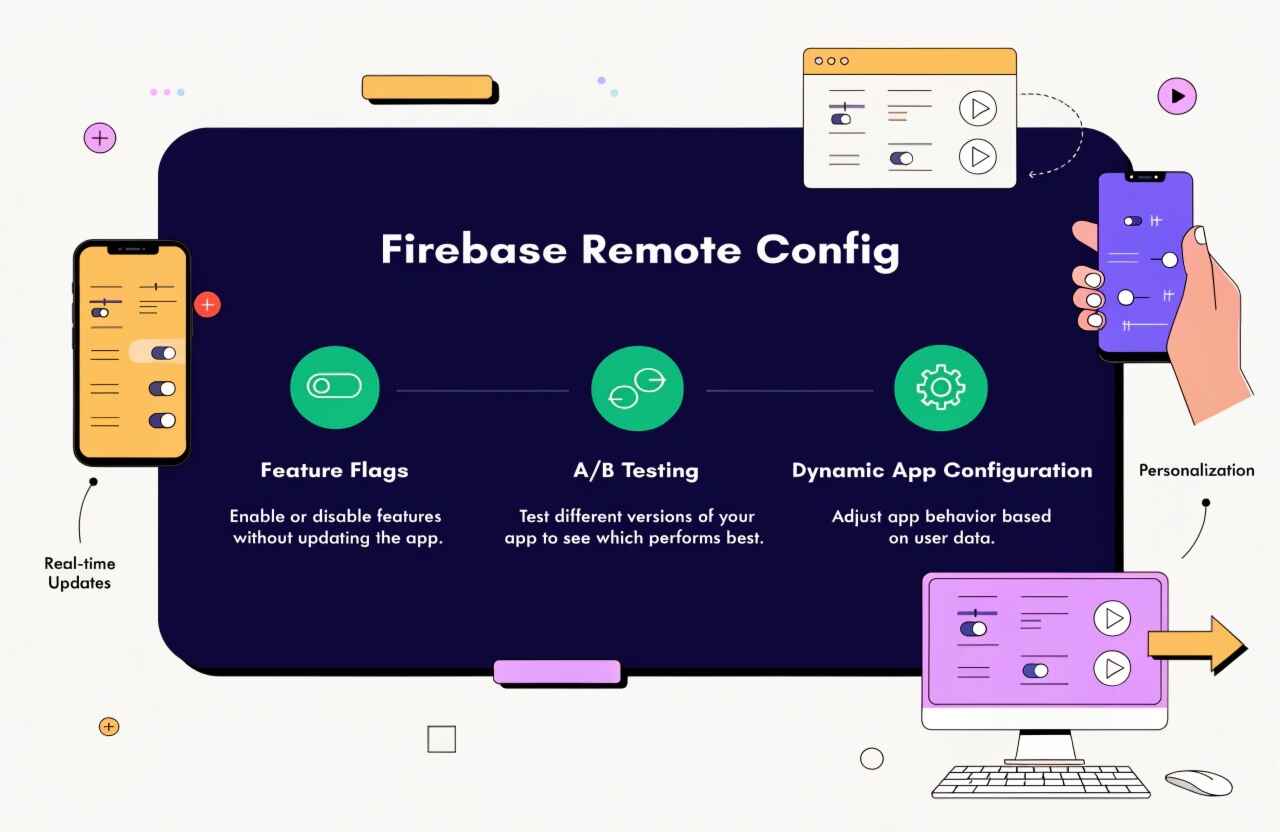
Instead of hardcoding every configuration value into an application, developers can define parameters that are controlled through Firebase. The application retrieves these values and uses them to determine how specific features should behave. This makes Remote Config particularly useful for feature flags, A/B testing, personalization, staged rollouts, and dynamic application configuration.
What Is Firebase Remote Config?
Firebase Remote Config is a cloud-based configuration service that allows developers to modify an application's behavior and appearance without requiring users to install a new version.
For example, imagine an e-commerce application with a newly developed checkout interface. Rather than immediately making the new interface available to everyone, developers can create a parameter such as new_checkout_enabled. The value can initially be set to false and later enabled for selected users.
This approach provides greater control over application releases while reducing deployment risks.
Feature Flags With Firebase Remote Config
One of the most common uses of Remote Config is implementing feature flags.
A feature flag acts like an on/off switch for application functionality. Developers can create parameters such as:
- enable_new_dashboard
- show_discount_banner
- enable_chat
- new_payment_flow
- enable_dark_mode
The application reads the parameter value and determines whether the corresponding functionality should be displayed or activated.
Feature flags allow development teams to release code and activate functionality separately. This can be extremely useful when working on large applications where new features require gradual testing before becoming publicly available.
A/B Testing and Experimentation
Remote Config can also support A/B testing, allowing teams to compare different versions of a feature or user experience.
For example, a mobile application might test two different button designs:
- Group A receives a blue “Buy Now” button.
- Group B receives a green “Buy Now” button.
The team can then evaluate user behavior and determine which variation performs better.
When combined with analytics and experimentation capabilities, Remote Config can help product teams make decisions based on actual user behavior instead of assumptions.
Dynamic App Configuration
Another major benefit is the ability to dynamically control application settings.
Applications may contain configurable values such as:
- Promotional messages
- API-related settings
- Minimum supported configuration versions
- UI display options
- Content visibility
- Timing intervals
- Promotional banners
- Feature availability
Instead of requiring developers to modify the application code for every small configuration change, selected values can be managed remotely.
However, sensitive information such as passwords, private API keys, or confidential credentials should never be stored as Remote Config parameters.
Audience Targeting and Personalization
Remote Config becomes even more powerful when configuration values are targeted to specific audiences or conditions.
For example, an application could display a special feature to new users while keeping it disabled for existing users. A company could also test a feature with a small percentage of its audience before gradually increasing availability.
This makes Remote Config useful for personalized application experiences and controlled feature rollouts.
Safer Feature Rollouts
Launching a major feature to every user simultaneously can create unnecessary risk. If the feature contains an unexpected issue, the entire user base may be affected.
With Remote Config, teams can take a more controlled approach:
- Deploy the feature code.
- Keep the feature disabled initially.
- Enable it for internal testers.
- Expand access to a small audience.
- Monitor analytics and application performance.
- Gradually increase availability.
- Enable the feature for everyone after successful validation.
This strategy can significantly improve release management.
Benefits for Developers and Product Teams
Firebase Remote Config offers several advantages:
Faster experimentation: Teams can test ideas without creating a separate application release for every configuration change.
Reduced deployment risk: Features can be introduced gradually rather than immediately affecting all users.
Better personalization: Different users can receive different experiences based on defined conditions.
Improved product decisions: A/B testing and analytics provide useful behavioral insights.
Flexible configuration: Developers can manage selected application parameters remotely.
Efficient maintenance: Small configuration changes may not require a complete release cycle.
Best Practices
Although Remote Config provides flexibility, it should be implemented carefully. Developers should maintain sensible default values inside the application so that the app can continue functioning if configuration retrieval fails.
Teams should also use clear parameter names, document important configuration values, avoid excessive parameters, and establish ownership for configuration management.
Feature flags should also be reviewed regularly. Temporary flags that are no longer required should be removed from both the configuration system and application code to prevent unnecessary complexity.
Conclusion
Firebase Remote Config has become a valuable tool for modern mobile application development. By combining feature flags, A/B testing, dynamic parameters, audience targeting, and controlled rollouts, development teams can make applications more flexible and easier to manage.
Rather than waiting for every change to pass through the complete application release cycle, teams can use Remote Config to experiment, personalize experiences, and gradually introduce functionality. When combined with analytics and disciplined feature-flag management, it can support faster development while reducing the risks associated with large-scale application releases.