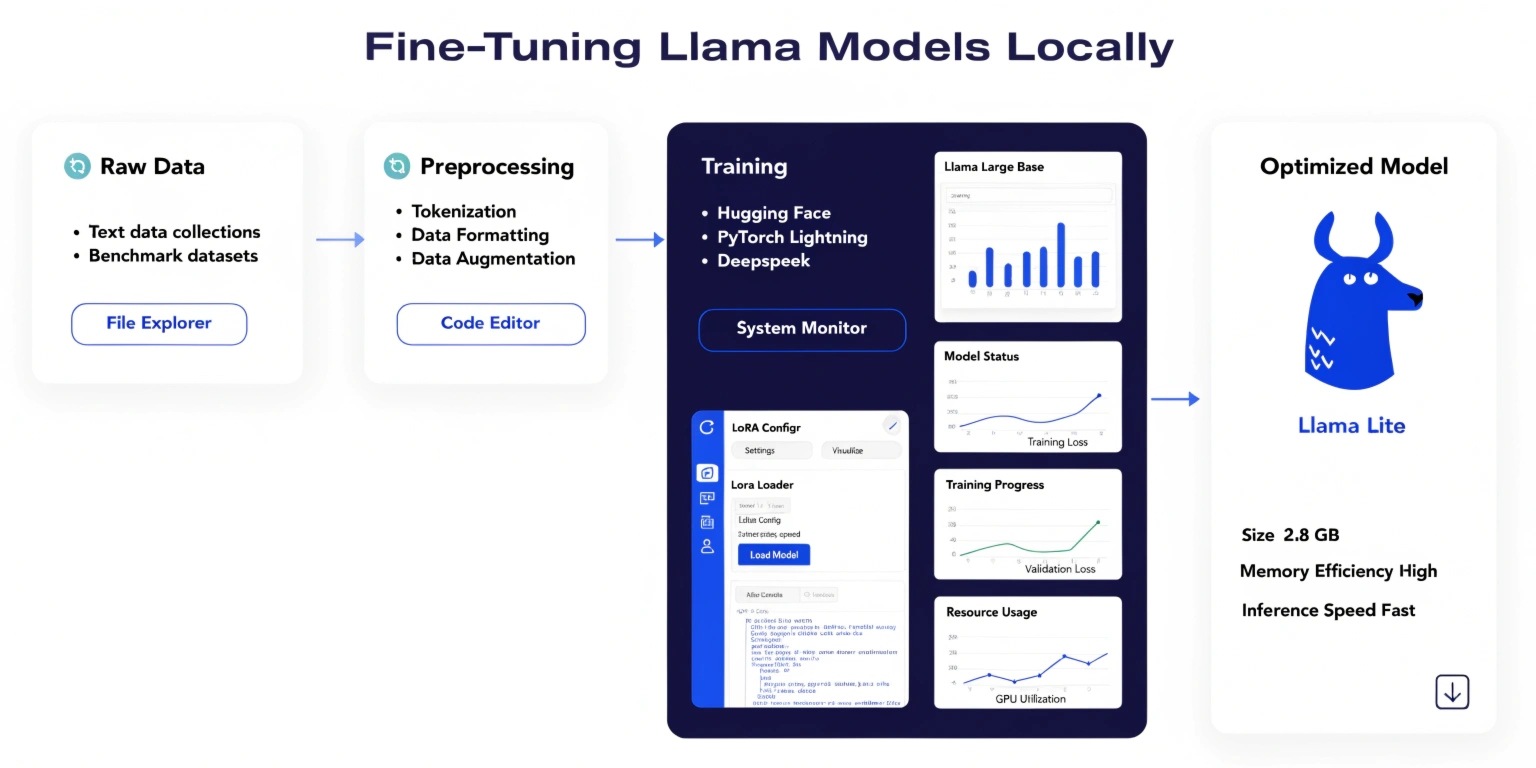
With the rapid evolution of open-source large language models (LLMs), developers now have the power to fine-tune models like LLaMA locally, eliminating reliance on expensive cloud APIs. Fine-tuning allows you to adapt a pre-trained model to your specific domain, improving accuracy, relevance, and efficiency.
This guide walks you through the essentials of fine-tuning LLaMA models locally, from setup to optimization.
Why Fine-Tune LLaMA Locally?
Fine-tuning LLaMA locally offers several advantages:
- Data Privacy: Sensitive data stays on your machine
- Cost Efficiency: No recurring API costs
- Customization: Tailor the model to your business or niche
- Performance Control: Optimize for latency and accuracy
Whether you're building chatbots, recommendation engines, or domain-specific assistants, local fine-tuning provides unmatched flexibility.
Hardware Requirements
Before starting, ensure your system meets these basic requirements:
- GPU with at least 8GB VRAM (16GB+ recommended)
- 16–32GB RAM
- SSD storage for faster data access
If you don’t have a high-end GPU, you can still fine-tune using quantization techniques or smaller LLaMA variants.
Key Tools & Libraries
To fine-tune LLaMA locally, you’ll need:
- Python (3.8+)
- PyTorch
- Hugging Face Transformers
- Datasets library
- PEFT (Parameter-Efficient Fine-Tuning)
Optional tools like bitsandbytes help reduce memory usage, enabling efficient training on limited hardware.
Fine-Tuning Techniques
Instead of training the entire model, modern approaches focus on efficiency:
1. LoRA (Low-Rank Adaptation)
LoRA updates only a small subset of parameters, significantly reducing memory usage and training time.
Benefits:
- Faster training
- Lower GPU requirements
- Comparable performance to full fine-tuning
2. QLoRA (Quantized LoRA)
QLoRA combines quantization with LoRA, allowing fine-tuning on consumer GPUs.
Advantages:
- Runs on low-memory systems
- Maintains high model quality
- Ideal for local environments
Step-by-Step Fine-Tuning Process
Step 1: Install Dependencies
pip install transformers datasets accelerate peft bitsandbytes
Step 2: Load Pre-trained LLaMA Model
from transformers import AutoModelForCausalLM, AutoTokenizer
model = AutoModelForCausalLM.from_pretrained("meta-llama/Llama-2-7b")
tokenizer = AutoTokenizer.from_pretrained("meta-llama/Llama-2-7b")
Step 3: Prepare Dataset
Your dataset should be clean, structured, and relevant to your use case.
Example:
- Customer support conversations
- FAQs
- Domain-specific documents
Step 4: Apply LoRA Configuration
from peft import LoraConfig, get_peft_model
config = LoraConfig(
r=8,
lora_alpha=16,
target_modules=["q_proj", "v_proj"],
lora_dropout=0.05
)
model = get_peft_model(model, config)
Step 5: Train the Model
from transformers import Trainer, TrainingArguments
training_args = TrainingArguments(
output_dir="./results",
per_device_train_batch_size=2,
num_train_epochs=3,
logging_steps=10
)
trainer = Trainer(
model=model,
args=training_args,
train_dataset=dataset
)
trainer.train()
Step 6: Save & Use the Model
model.save_pretrained("./fine-tuned-llama")
You can now deploy this model locally for inference.
Best Practices
To get optimal results:
- Use high-quality data: Garbage in, garbage out
- Start small: Test with smaller datasets before scaling
- Monitor overfitting: Avoid excessive training epochs
- Experiment with hyperparameters: Tune learning rate, batch size
- Use validation datasets: Evaluate performance properly
Common Challenges
- Memory limitations: Use quantization or gradient checkpointing
- Long training time: Optimize batch size and epochs
- Model instability: Ensure proper data preprocessing
Future of Local LLM Fine-Tuning
Local fine-tuning is becoming more accessible with advancements in efficient training techniques. As hardware improves and tools evolve, developers will increasingly shift toward on-device AI for privacy, cost savings, and performance.
Conclusion
Fine-tuning LLaMA models locally empowers developers to build highly customized AI solutions without relying on external APIs. By leveraging techniques like LoRA and QLoRA, even modest systems can train powerful models efficiently.
If you're serious about AI development, mastering local fine-tuning is a game-changing skill that puts full control of AI in your hands.