Critical PHP Security Vulnerabilities in October 2026: How to Protect Your Website
Website security requires more than keeping your CMS and plugins updated. The server-side technologies powering your website also need regular security maintenance.
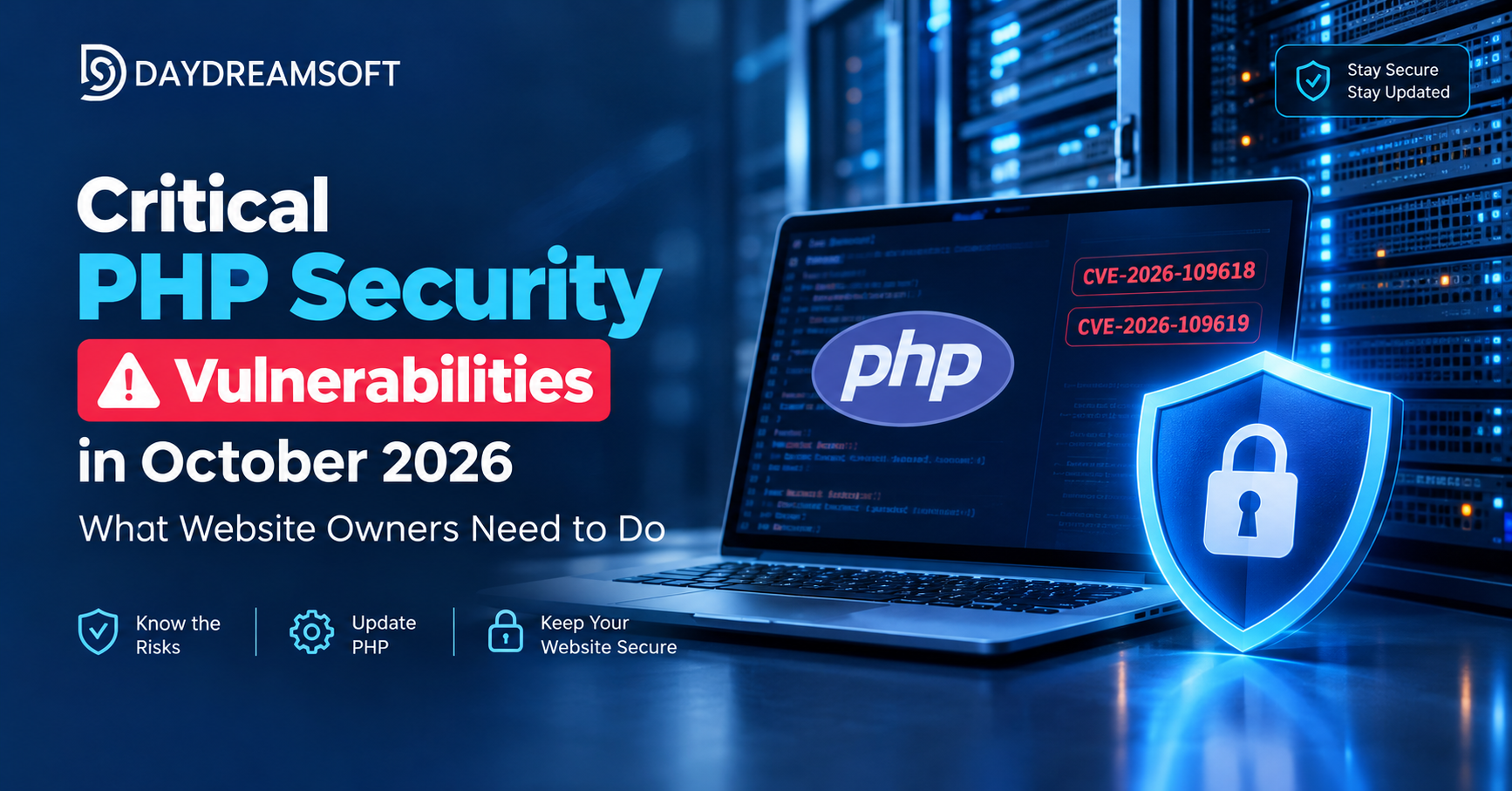
On October 21, 2026, the PHP development team announced two critical security vulnerabilities identified as CVE-2026-109618 and CVE-2026-109619. These vulnerabilities could potentially allow attackers to execute malicious code on affected servers without authentication.
If you manage a WordPress website, WooCommerce store, Laravel application, or custom PHP website, it is important to check your PHP environment and confirm that the appropriate security updates have been applied.
What Are the Latest PHP Security Issues?
The two reported vulnerabilities affect PHP's internal memory and request-handling mechanisms. Under certain conditions, these issues may allow an attacker to trigger unsafe memory handling and potentially execute unauthorized code.
Both vulnerabilities have been assigned a critical severity rating of 9.2 under CVSS 4.0.
You can review the official PHP security announcements here:
https://www.php.net/archive/2026.php
Which PHP Versions Are Affected?
The announced security updates include the following patched releases:
- PHP 8.5.12
- PHP 8.4.27
- PHP 8.3.36
- PHP 8.2.35
If your website uses an earlier release from one of these branches, check whether an applicable security update is available.
Websites using unsupported PHP versions should receive particular attention because they may not receive security fixes from the PHP project. Some hosting providers maintain their own security patches, so confirm your actual patch status with your provider.
Which Websites Could Be at Risk?
These vulnerabilities are relevant to PHP-based websites and applications running in supported server configurations.
Examples include:
- WordPress websites and WooCommerce stores
- Laravel applications
- Custom PHP websites and web applications
- PHP-FPM and Apache mod_php environments
- CGI-based PHP installations
- Websites hosted on VPS, dedicated servers, cloud platforms, and shared hosting
The actual risk depends on your installed PHP version, hosting configuration, and whether the necessary security patches have been applied.
What Are the Potential Risks?
If a vulnerable PHP installation is successfully exploited, the consequences may include:
Website compromise: An attacker may be able to execute unauthorized code within the affected environment.
Data exposure: Application data, configuration files, or credentials could be at risk, depending on the server's permissions.
Malicious file changes: Attackers may attempt to modify website files or inject unwanted scripts.
Service disruption: A compromised environment may experience unexpected errors, downtime, or excessive resource consumption.
These are potential consequences, not confirmation that every affected website has been compromised.
How to Protect Your Website
1. Check Your PHP Version
Start by identifying the PHP version used by your live website.
For WordPress, check Tools → Site Health → Info → Server. You can also check your hosting control panel.
On a Linux server, run:
php -v
Remember that this command shows the command-line PHP version, which may differ from the PHP version serving your website.
2. Install the Appropriate Security Update
Upgrade to the applicable patched PHP release or a later security release from the same supported branch.
Before updating a production website, create a verified backup and check compatibility with your application, themes, plugins, and dependencies.
If your hosting provider controls PHP updates, ask them to confirm that the live website is running a patched version.
3. Restart or Reload Relevant Services
Depending on your server setup, you may need to restart PHP-FPM, reload the web server, or redeploy application containers.
Confirm that the running PHP workers are using the updated runtime. On managed hosting, ask your provider to verify this for you.
4. Test Your Website
After applying the update, check the website's essential functions, including login, forms, payment processing, API integrations, file uploads, and scheduled tasks.
Review the PHP and web server logs for errors that may have appeared after the upgrade.
5. Review Website Security
Keep your CMS, plugins, themes, application dependencies, and server software up to date.
Monitor for unexpected file changes, unfamiliar administrator accounts, suspicious processes, or unusual server activity. If you suspect that your website has already been compromised, investigate the incident rather than relying on a PHP update alone.
What If You Cannot Update Immediately?
Contact your hosting provider or server administrator to determine the safest temporary mitigation for your environment.
Additional security controls may help reduce exposure, but they should not be treated as a replacement for installing the appropriate PHP security patch.
Prioritize the update and verify the actual runtime version once remediation is complete.
What Should WordPress and WooCommerce Owners Do?
Updating WordPress core does not automatically guarantee that the PHP runtime is patched.
Website owners should independently check their PHP version, confirm their hosting provider's patch status, and test important website functions after upgrading.
For WooCommerce stores, pay particular attention to checkout, payment gateways, order processing, and third-party integrations.
Final Thoughts
The October 2026 PHP security announcements are a reminder that the security of a website depends on its entire technology stack.
Website owners should verify their installed PHP version, apply the appropriate security patches, and test their websites after the update.
At Daydreamsoft, we understand the importance of maintaining secure and reliable websites. If you need assistance reviewing your PHP environment, planning a compatible upgrade, or checking your website after an update, our team can help.
Official reference: https://www.php.net/archive/2026.php
Security note: Always verify the latest official advisory and your hosting provider's patch status before making changes to a production server.