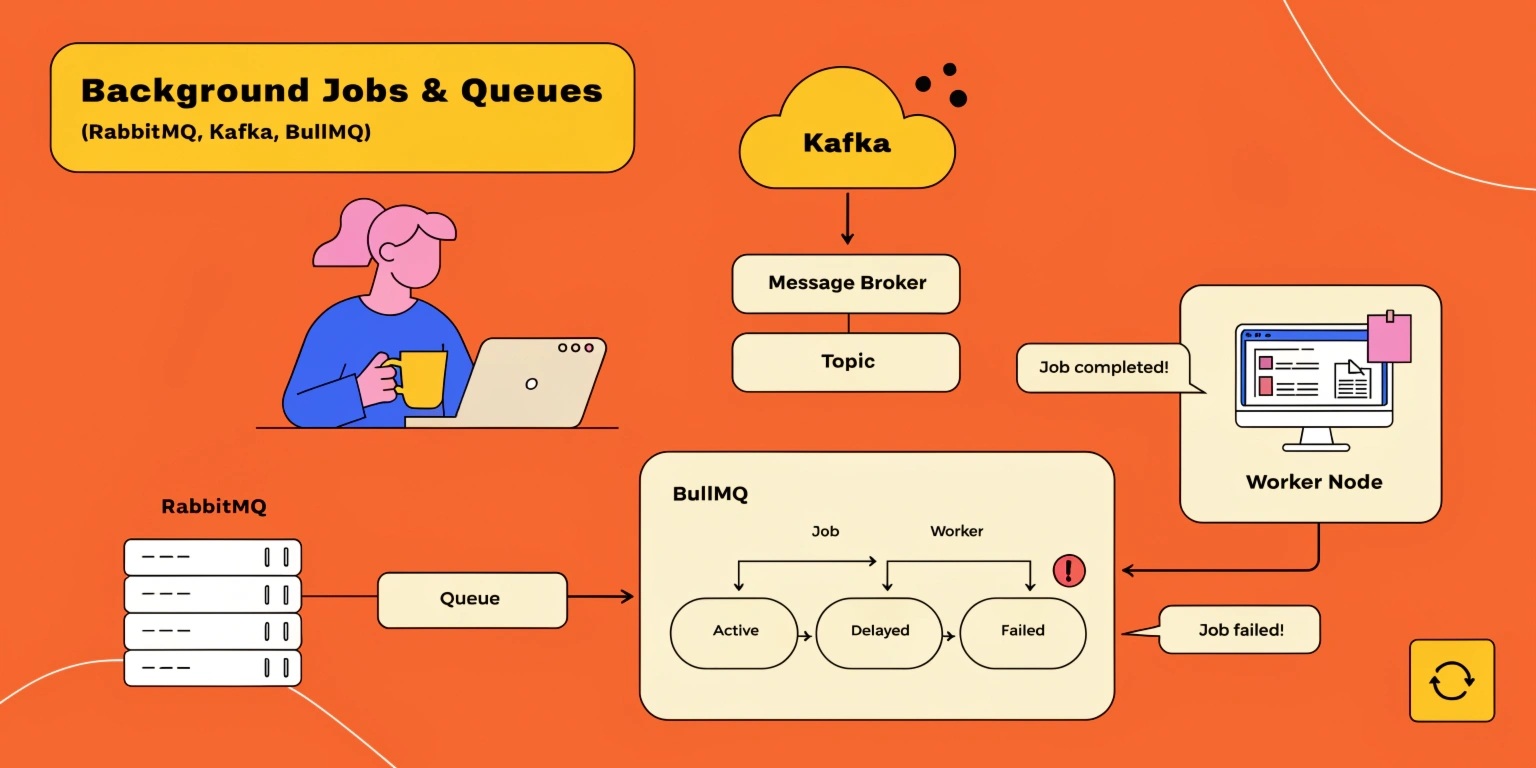
Discover how RabbitMQ, Kafka, and BullMQ enable scalable background processing and asynchronous workflows. Learn their differences, real-world use cases, implementation strategies, and best practices for modern application development.
Modern applications often need to perform tasks that do not require an immediate response to the user. Sending emails, processing payments, generating reports, resizing images, synchronizing data, and handling notifications are examples of operations that can take time. If these tasks are executed during a user's request, they increase response times and negatively impact the user experience.
Background jobs and message queues solve this challenge by moving time-consuming tasks out of the request-response cycle. Instead of processing everything immediately, applications place jobs into a queue where dedicated workers process them asynchronously. This approach improves responsiveness, scalability, and system reliability.
Technologies such as RabbitMQ, Apache Kafka, and BullMQ have become essential components of modern backend architectures. Although they all support asynchronous processing, each serves different purposes and excels in different scenarios.
This article explores how background jobs work, compares RabbitMQ, Kafka, and BullMQ, and shares best practices for implementing scalable queue-based systems.
What Are Background Jobs?
A background job is a task that runs independently of the user's immediate request. The application schedules the work, returns a response quickly, and processes the task later through worker processes.
Common background jobs include:
- Sending emails
- SMS notifications
- Image and video processing
- PDF generation
- Payment processing
- Data imports and exports
- Scheduled backups
- Search indexing
By separating these operations from user interactions, applications remain fast and responsive.
Why Use Message Queues?
Message queues act as intermediaries between producers (applications creating jobs) and consumers (workers processing jobs).
Key benefits include:
- Faster API responses
- Improved scalability
- Better fault tolerance
- Load balancing across workers
- Retry mechanisms for failed jobs
- Decoupled system components
- Reliable asynchronous communication
- Efficient resource utilization
Queues help applications handle traffic spikes without overwhelming backend services.
RabbitMQ
RabbitMQ is a mature message broker that implements the Advanced Message Queuing Protocol (AMQP). It is designed for reliable message delivery and flexible routing.
Strengths
- Reliable message acknowledgment
- Complex routing with exchanges and queues
- Dead-letter queues
- Priority queues
- Delayed message delivery
- Strong support across programming languages
Common Use Cases
- Order processing
- Email services
- Financial systems
- Microservice communication
- Workflow automation
- Enterprise messaging
RabbitMQ is an excellent choice when reliable task execution and sophisticated routing are priorities.
Apache Kafka
Apache Kafka is a distributed event streaming platform built for processing large volumes of real-time data.
Unlike traditional message queues, Kafka stores events in durable logs that consumers can read independently.
Strengths
- Extremely high throughput
- Horizontal scalability
- Durable event storage
- Event replay capabilities
- Distributed architecture
- Real-time stream processing
Common Use Cases
- Activity tracking
- Log aggregation
- Event sourcing
- IoT platforms
- Analytics pipelines
- Financial transaction streams
Kafka excels when applications process millions of events continuously.
BullMQ
BullMQ is a Redis-based job queue designed primarily for Node.js applications.
It provides an intuitive API for background task processing and scheduling.
Features
- Delayed jobs
- Repeatable jobs
- Job prioritization
- Automatic retries
- Rate limiting
- Worker concurrency
- Queue monitoring
Common Use Cases
- Email processing
- File uploads
- Image optimization
- Report generation
- Notification services
- Scheduled tasks
BullMQ is particularly well suited for Node.js projects requiring lightweight and efficient background processing.
Comparing RabbitMQ, Kafka, and BullMQ
FeatureRabbitMQKafkaBullMQPrimary PurposeMessage BrokerEvent Streaming PlatformJob QueueStorageQueue-basedPersistent LogRedisScalabilityHighVery HighModerate to HighMessage ReplayLimitedExcellentLimitedBest ForReliable MessagingReal-Time Data StreamsBackground JobsTypical EcosystemMulti-languageDistributed SystemsNode.js
Choosing the right technology depends on your application's architecture, workload, and operational requirements.
Best Practices
To build reliable background processing systems:
- Keep jobs small and independent.
- Design workers to be idempotent so repeated execution is safe.
- Implement retry policies with exponential backoff.
- Use dead-letter queues for failed jobs.
- Monitor queue length and processing times.
- Scale worker processes horizontally.
- Avoid long-running blocking operations.
- Secure message brokers with authentication and encryption.
These practices improve resilience, maintainability, and performance.
Monitoring and Observability
Queue-based systems require continuous monitoring to ensure healthy operation.
Important metrics include:
- Queue length
- Job processing rate
- Worker utilization
- Failure rate
- Retry count
- Processing latency
- Consumer lag (for Kafka)
- Redis or broker resource usage
Observability tools help identify bottlenecks before they affect users.
Common Challenges
While background processing offers many benefits, developers should account for:
- Duplicate message handling
- Message ordering requirements
- Worker failures
- Queue congestion
- Distributed debugging
- Infrastructure complexity
- Data consistency across services
Careful architecture and robust monitoring help mitigate these issues.
Future Trends
As cloud-native systems continue to evolve, asynchronous processing is becoming even more central to modern application design.
Emerging trends include:
- Serverless event-driven architectures
- AI-powered workload optimization
- Managed cloud messaging services
- Event mesh architectures
- Kubernetes-native queue processing
- Real-time stream analytics
- Workflow orchestration platforms
- Hybrid event and message-driven systems
These innovations enable developers to build highly scalable, resilient applications that can handle millions of events efficiently.
Conclusion
Background jobs and message queues are fundamental building blocks of scalable software systems. By offloading time-consuming tasks from user requests, they improve responsiveness, reliability, and overall application performance.
RabbitMQ provides robust message brokering for enterprise applications, Apache Kafka excels at large-scale event streaming, and BullMQ offers a simple yet powerful job queue for Node.js applications. Understanding the strengths of each technology allows developers to choose the right tool for their architecture and build systems capable of supporting modern, high-traffic workloads.
We build scalable web, mobile, and game products for clients worldwide — combining modern frameworks, cloud infrastructure, and best engineering practices.
.jpg)
.jpg)
.jpg)